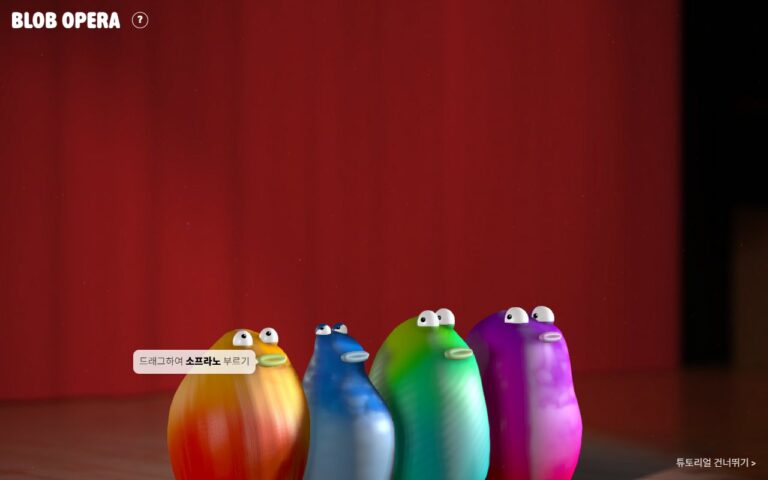

Hi, this is Chuchupapa. Blob Opera lets you conduct an opera quartet without singing a note yourself. It’s a free experiment from Google Arts & Culture. You drag four jelly-like blobs up, down and sideways, and a machine learning model turns your moves into four-part harmony. You don’t have to install anything or sign up.
This guide walks through Blob Opera screen by screen, from the first blob to the world tour, and lists every song the blobs sing in each city. All screenshots were taken on the live site in September 2026.
What is Blob Opera?
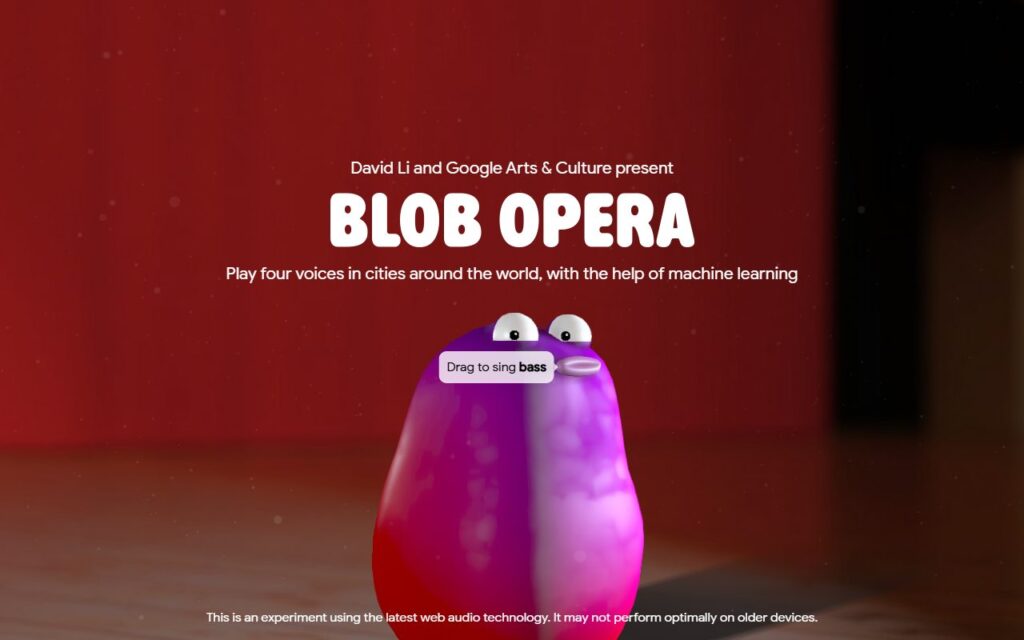
Blob Opera is a machine learning experiment by David Li in collaboration with Google Arts & Culture. The four blobs are a soprano, a mezzo-soprano, a tenor and a bass.
The voices aren’t recordings being played back. Tenor Christian Joel, bass Frederick Tong, mezzo-soprano Joanna Gamble and soprano Olivia Doutney recorded 16 hours of singing, and a model was trained on it. What you hear is the model’s idea of what opera singing sounds like, not the singers themselves. A second model makes the other blobs harmonize with whatever you do, in real time.
| Quick facts | Details |
|---|---|
| Price | Free |
| Account or install | Not needed, it runs in the browser |
| Devices | Runs in a web browser. The site warns it may not perform optimally on older devices |
| You’ll want | Speakers or headphones |
How to start
- Open Blob Opera on Google Arts & Culture.
- Click Launch experiment.
- When a purple blob shows up with a “Drag to sing bass” label, you’re in.
If you don’t hear anything, click once on the stage. If a “Click to unmute” message appears, click that too.
The tutorial: one blob at a time
The tutorial is half the fun. You start with just the bass, and each time you try what it asks, another blob drops onto the stage from above: first the tenor, then the mezzo-soprano, then the soprano.
1. Up and down changes the pitch
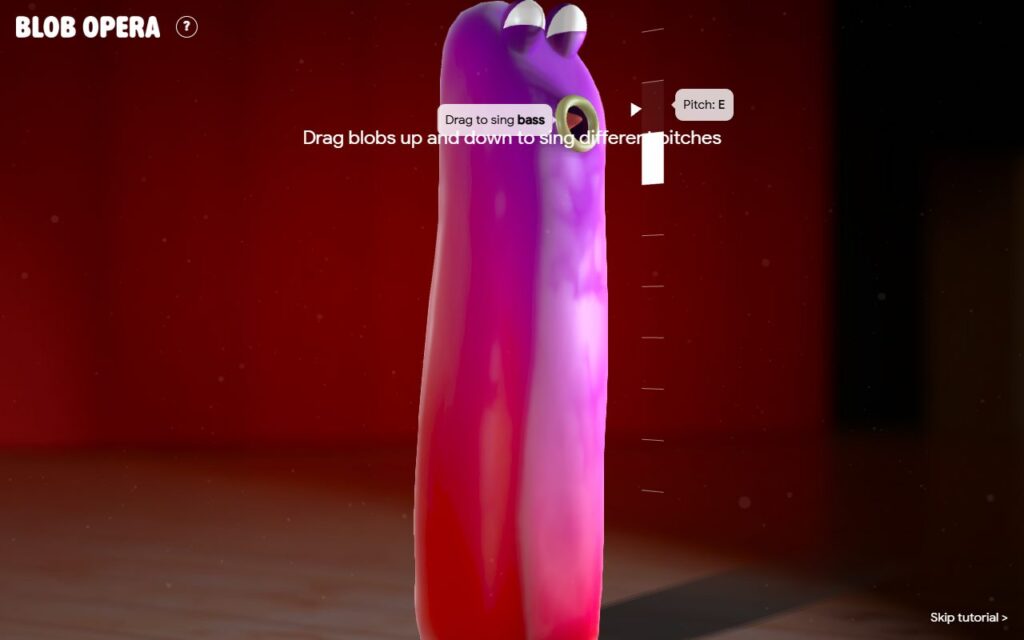
Grab the bass and pull it up. It stretches like rubber and the note rises. Pull it down and the note drops. A scale appears next to it with the current note (“Pitch: E” in this shot), along with the tip “Drag blobs up and down to sing different pitches.”
2. Left and right changes the vowel
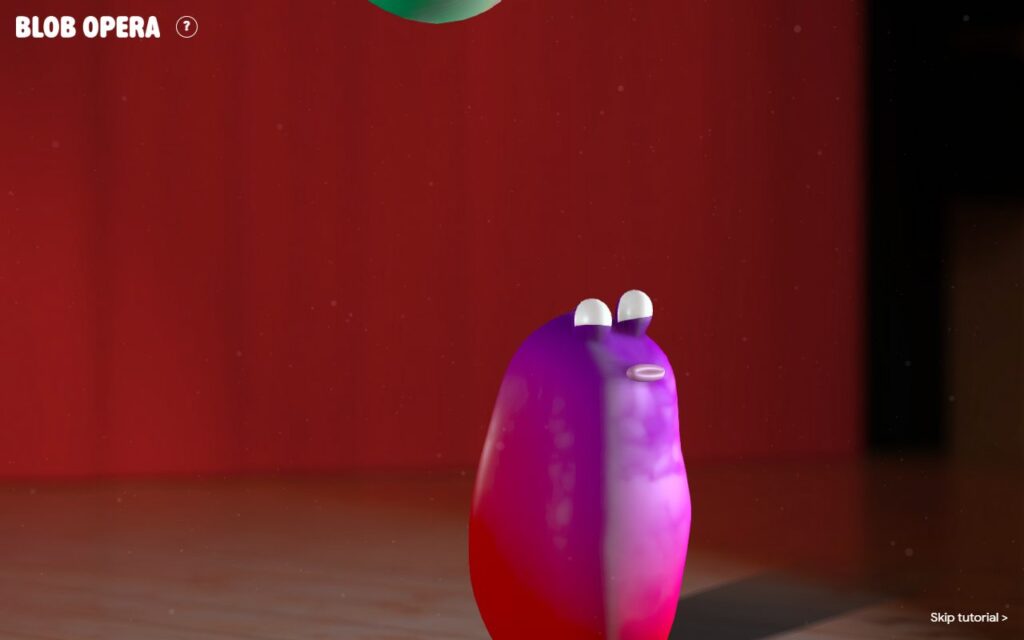
After you play with the bass, the green tenor falls in beside it. This time the tip reads “Drag blobs forwards and backwards to sing different vowels.” Hold the tenor and move your mouse left or right. The blob leans over, its mouth changes shape, and a label shows which vowel it’s singing.
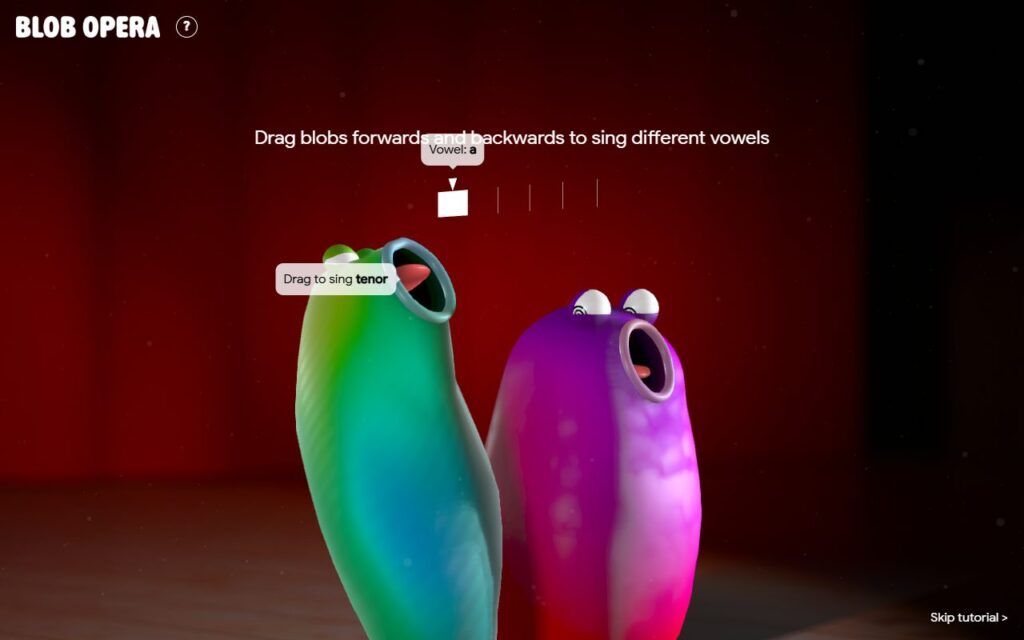
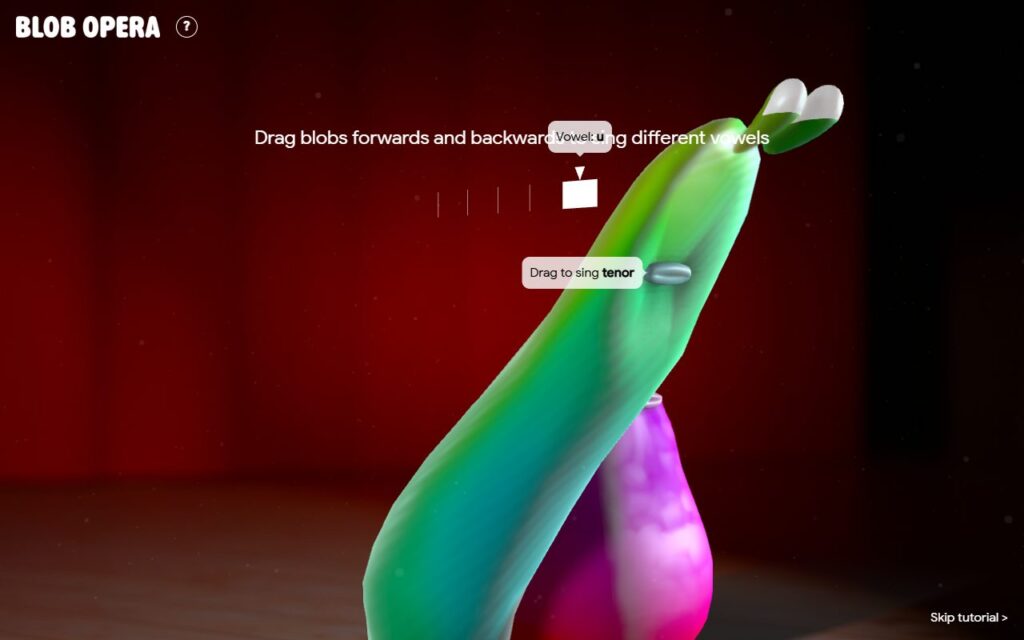
Watch the bass while you do this. It joins in on its own, mouth open and eyes swirling, harmonizing with the tenor. That’s the second model doing its job.
3. The highest voice leads
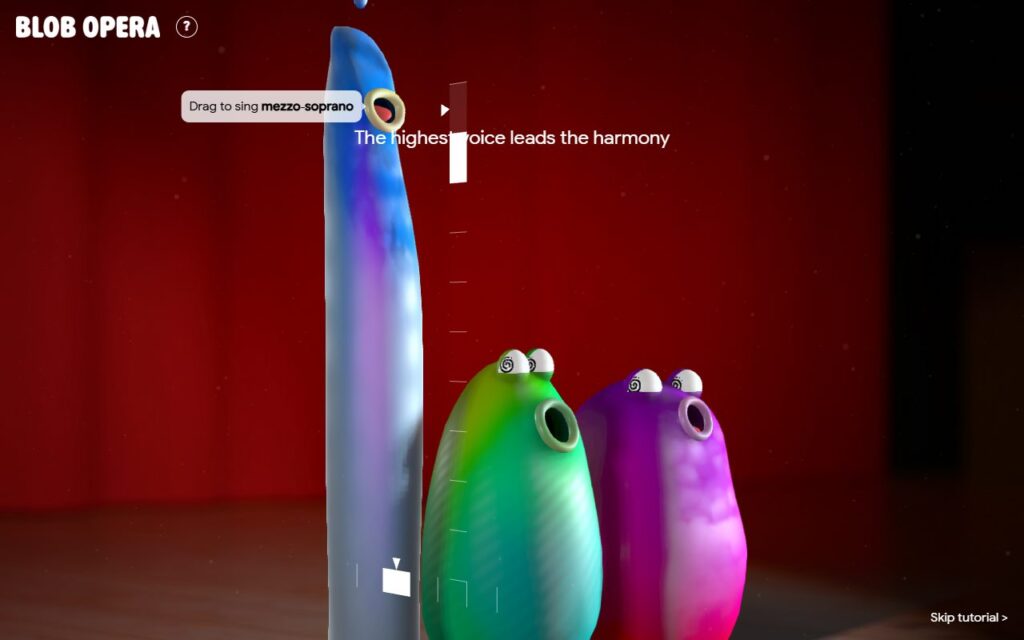
The blue mezzo-soprano comes next, with the tip “The highest voice leads the harmony.” Drag it high enough and it stretches right off the top of the screen while the tenor and bass open up underneath.
4. All four together
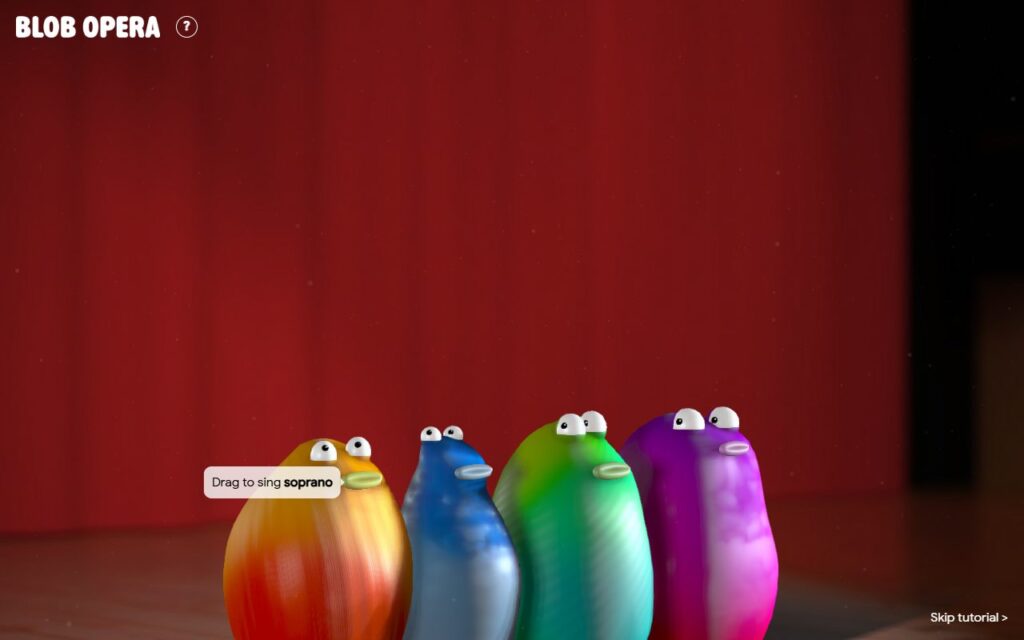
Last to arrive is the orange soprano. Pull it up and all four sing at once. The tip changes to “All together now! Use the mute buttons to silence blobs,” and a small speaker button pops up above each blob.
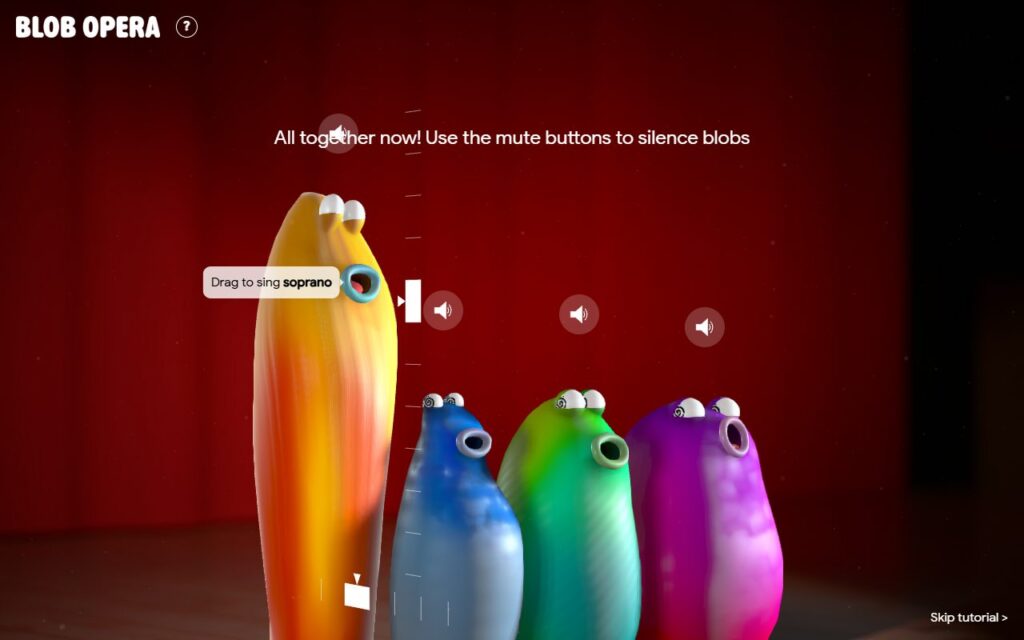
Click a speaker to silence that blob and listen to the rest as a trio or a duet.
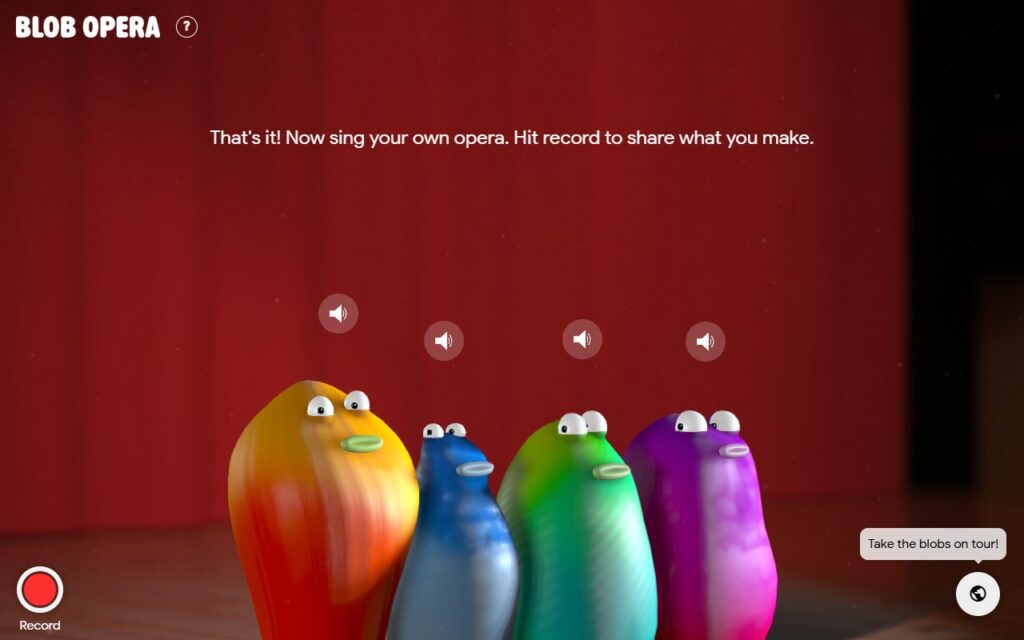
The tutorial wraps up with “That’s it! Now sing your own opera. Hit record to share what you make.” If you’d rather jump straight in, there’s a “Skip tutorial” link at the bottom right, but it’s worth watching the blobs drop in one by one at least once.
Blob Opera controls at a glance
| Do this | What happens |
|---|---|
| Drag a blob up or down | The pitch changes |
| Drag a blob left or right | The vowel changes (for example a, e, u) |
| Move any one blob | The others harmonize automatically |
| Speaker button above a blob | Mutes that blob |
| Red Record button, bottom left | Starts recording. Finish stops it |
| Globe button, bottom right | Takes the blobs on tour |
| Song list button in a city | Plays a local song |
Take the blobs on tour
Don’t stop at the main stage. Blob Opera also has a world tour. Click the globe at the bottom right and pick a city: London, New York, Mexico City, Seoul, Cape Town or Paris, plus the original Blobpera House.
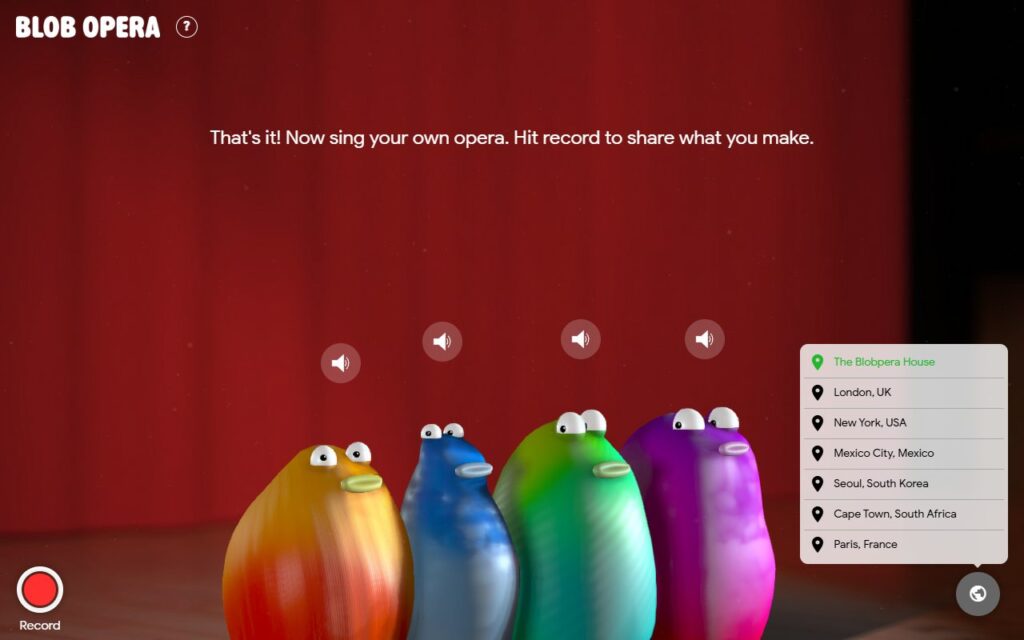
Each city has its own outdoor stage and a short list of local songs, and the blobs change colors from city to city.
Seoul: the blobs sing Arirang
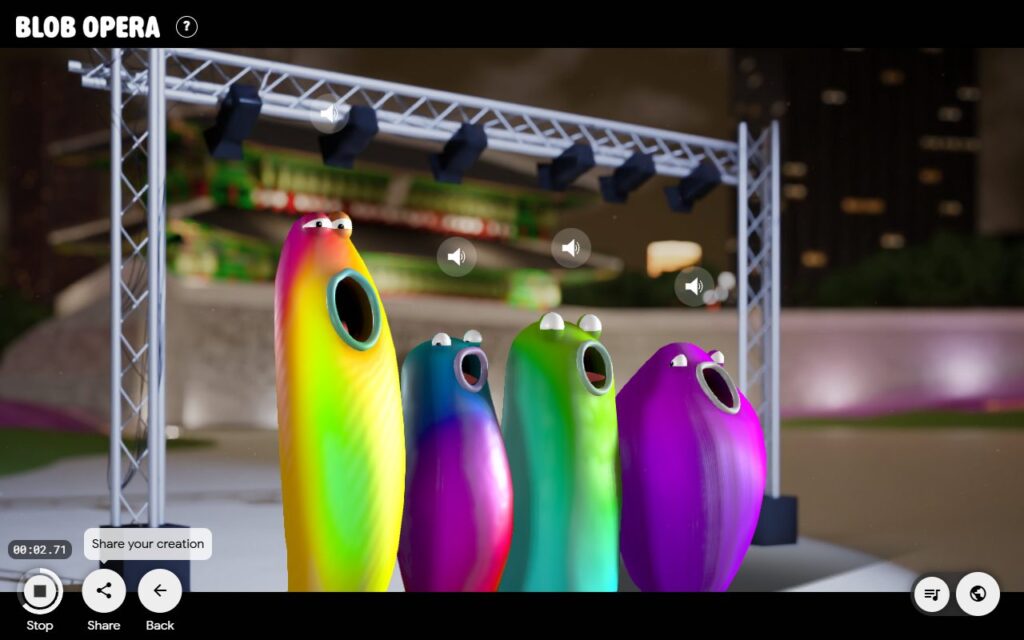
This is a Korean blog, so Seoul goes first. The blobs stand under a lighting rig with a traditional Korean building and city lights behind them. The song list has three Korean folk songs: Arirang, Han River and Doraji Taryeong.
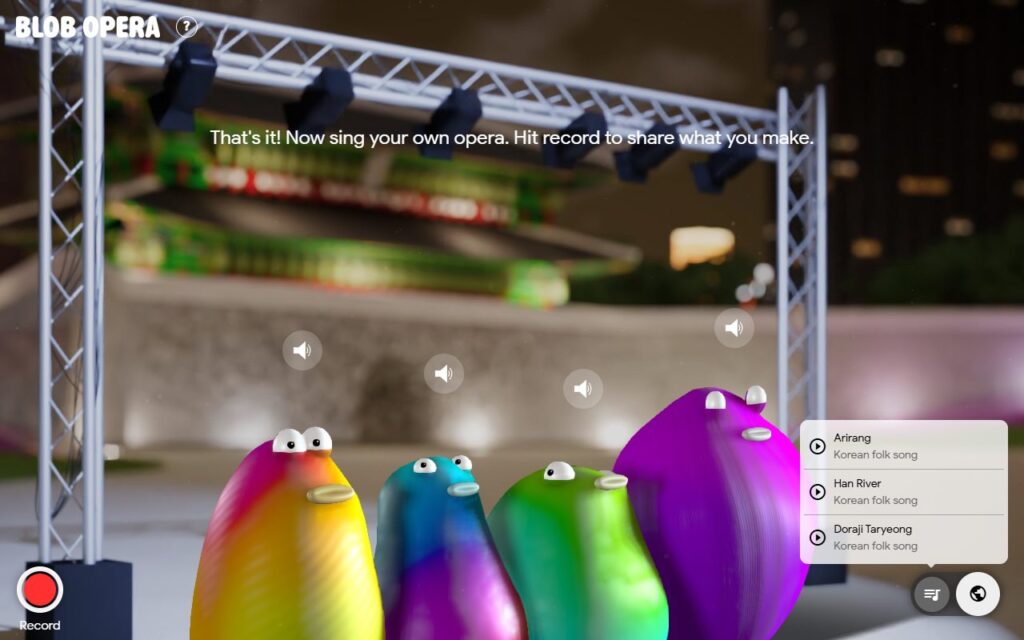
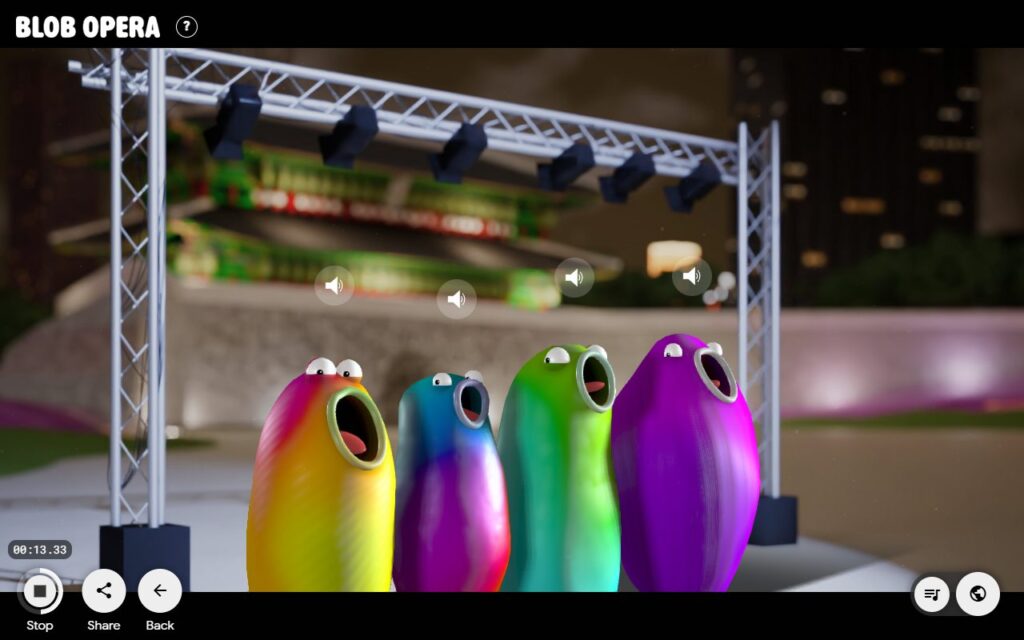
Pick Arirang, one of Korea’s best-known folk songs, and the quartet starts singing. A timer runs at the bottom left next to the Stop, Share and Back buttons.
Every Blob Opera song by city
Here is the full song list as it appeared in the app in September 2026. Names in parentheses are the credits or descriptions the app shows.
| City | Songs |
|---|---|
| Seoul, South Korea | Arirang, Han River, Doraji Taryeong (all Korean folk songs) |
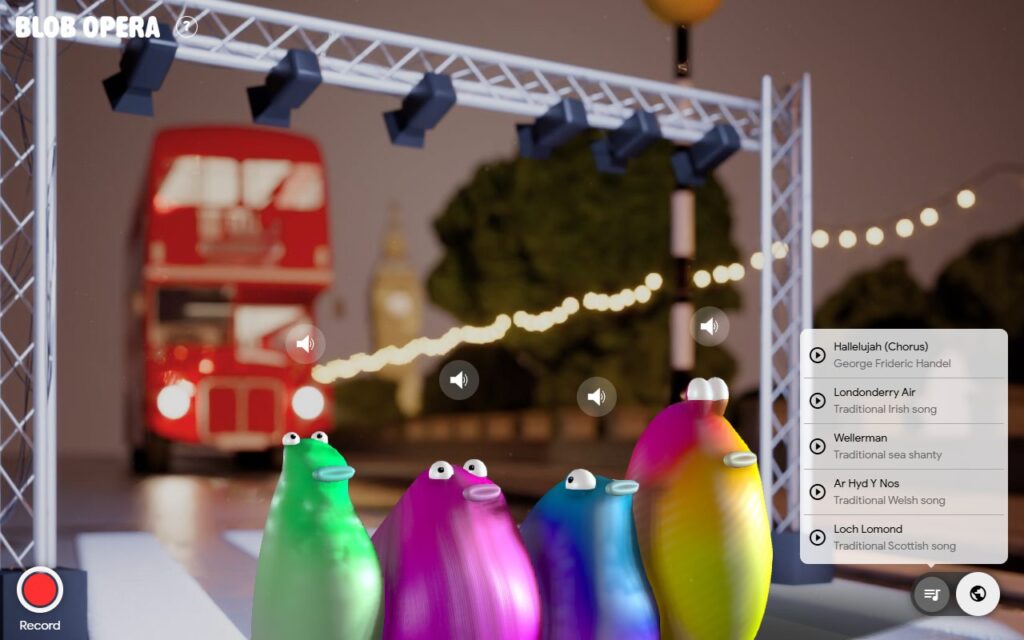
| London, UK | Hallelujah (Chorus) (George Frideric Handel), Londonderry Air (traditional Irish song), Wellerman (traditional sea shanty), Ar Hyd Y Nos (traditional Welsh song), Loch Lomond (traditional Scottish song) |
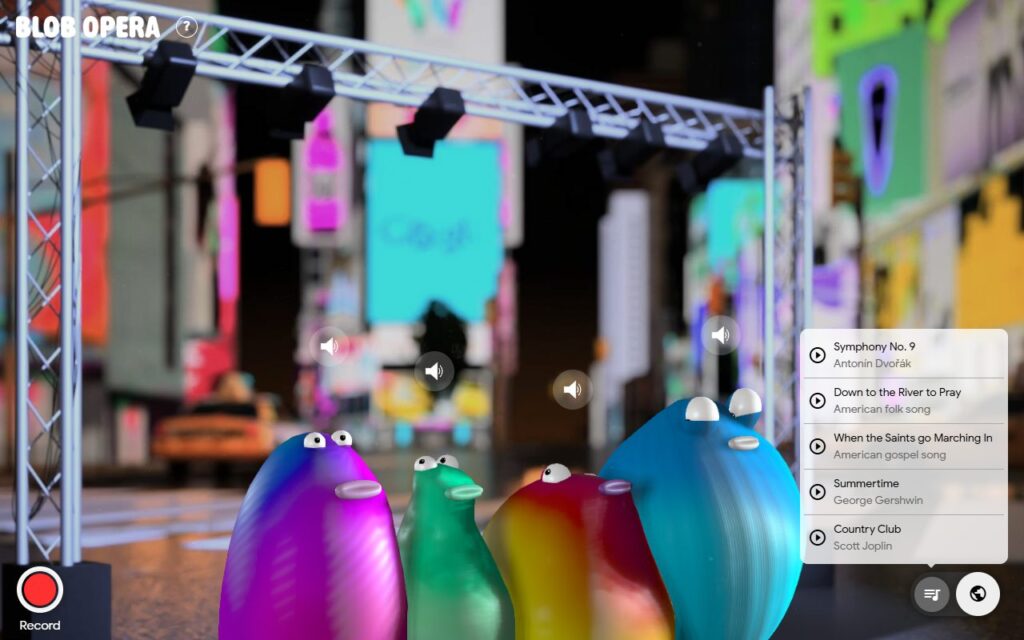
| New York, USA | Symphony No. 9 (Antonín Dvořák), Down to the River to Pray (American folk song), When the Saints go Marching In (American gospel song), Summertime (George Gershwin), Country Club (Scott Joplin) |
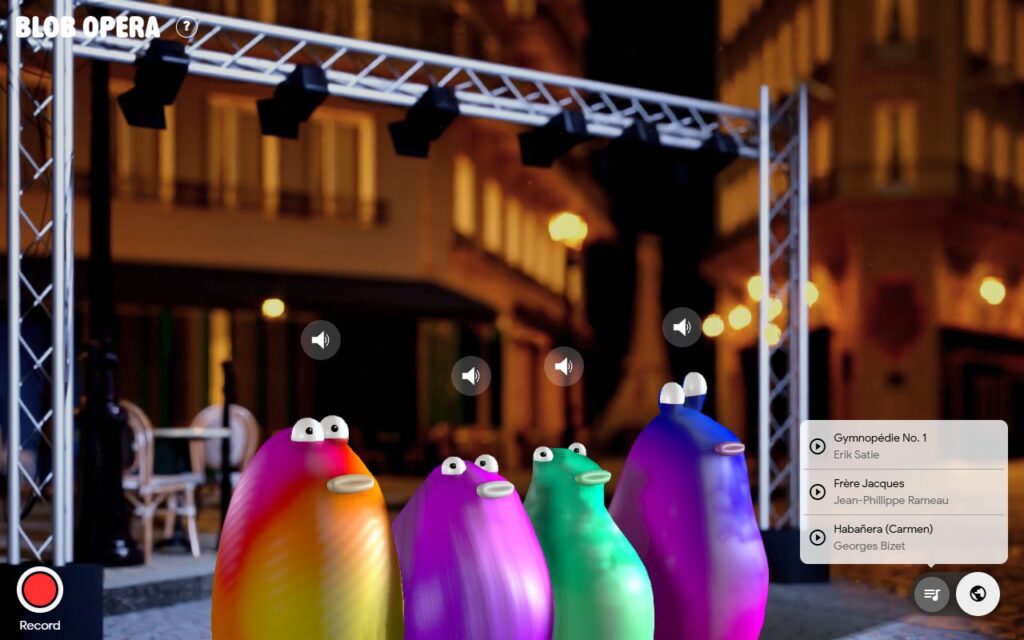
| Paris, France | Gymnopédie No. 1 (Erik Satie), Frère Jacques, Habañera (Carmen) (Georges Bizet) |
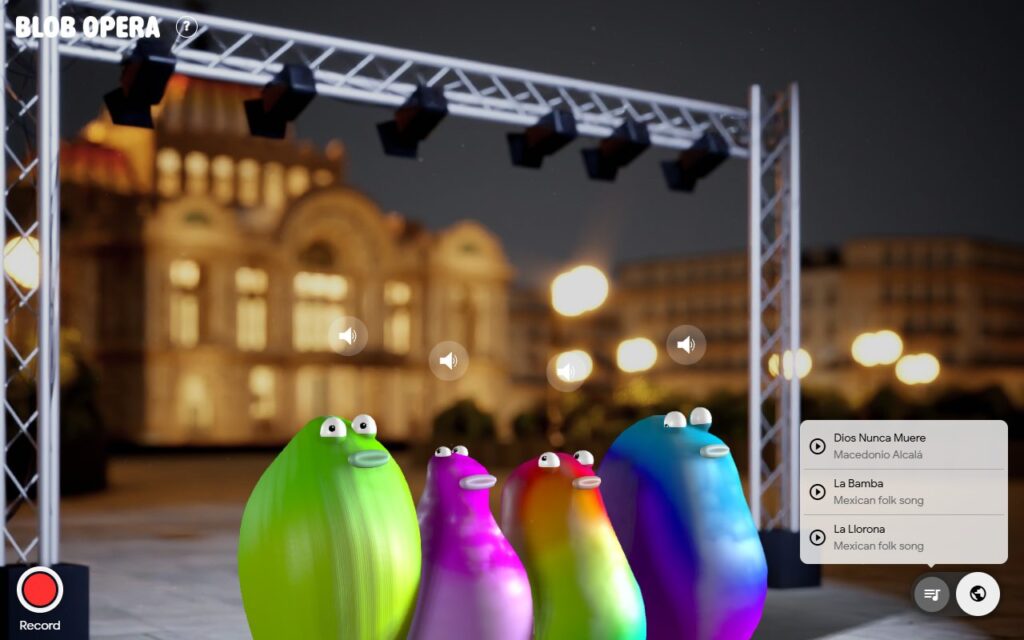
| Mexico City, Mexico | Dios Nunca Muere (Macedonio Alcalá), La Bamba (Mexican folk song), La Llorona (Mexican folk song) |
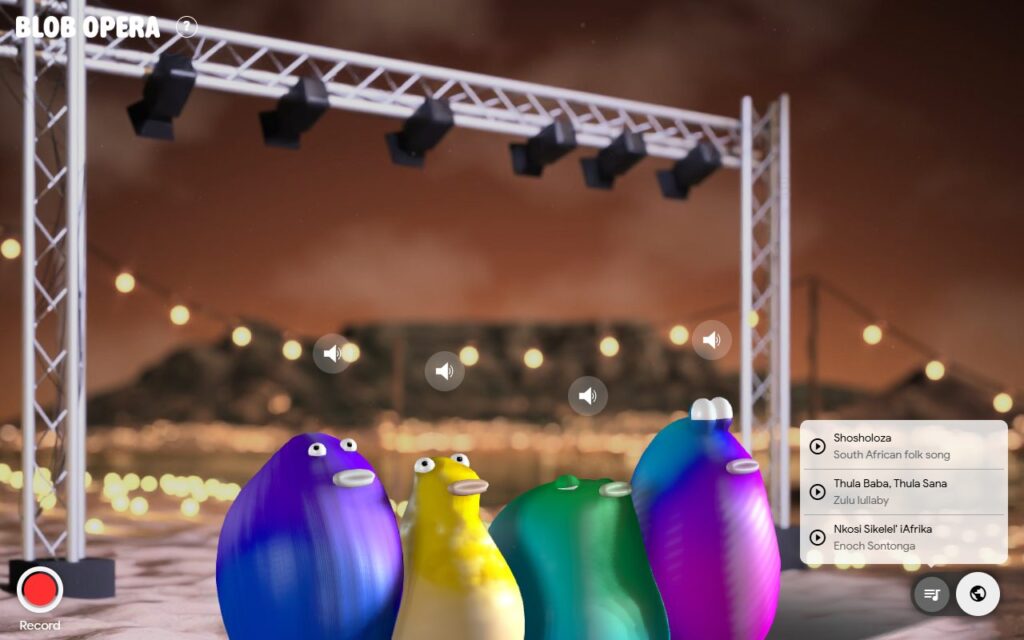
| Cape Town, South Africa | Shosholoza (South African folk song), Thula Baba, Thula Sana (Zulu lullaby), Nkosi Sikelel’ iAfrika (Enoch Sontonga) |
What the other stages look like
Every city has its own backdrop, so it’s fun to hop around even without playing a song.
Record and share your own Blob Opera
When you land on a harmony you like, press the red Record button at the bottom left. A camera-style frame with “RECORDING” appears, a timer starts, and every drag you make is captured. You can record on the tour stages too. The shot below was taken in Seoul.
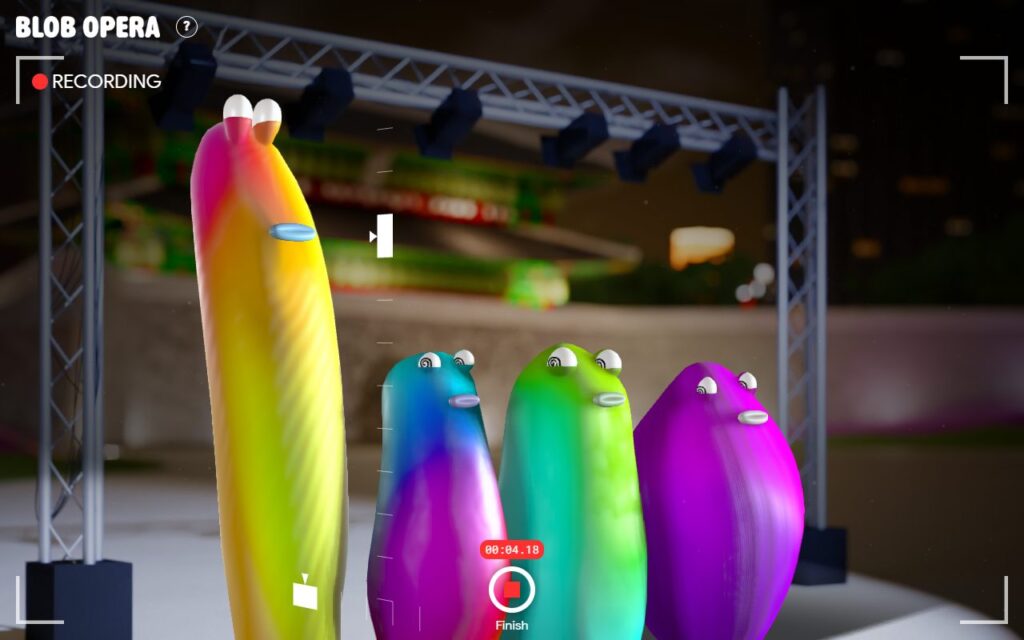
Press Finish and your take plays straight back. The Share button then shows a “Share your creation” tip, which is how you send your opera to friends and family.
Anyone who gets your shared recording can open it, so only send it to people you want to hear it.
Fun things to try
- Push the soprano to the very top of the screen and see how far it stretches.
- Mute the other three and give the bass a solo.
- Slide a blob slowly from left to right and copy its mouth shapes with your kids.
- Pick a city in secret and have everyone guess it from the stage and the songs.
- Take turns being the conductor, then record the version the family likes best.
Blob Opera FAQ
Is Blob Opera free?
Yes. It’s free and runs in the browser with no account.
Does Blob Opera work on any device?
It’s a web experiment, and the site itself warns that it may not perform optimally on older devices. A recent computer gives you the best chance of smooth sound.
Are those real opera singers?
Not directly. Four opera singers recorded 16 hours of singing to train the model, but what you hear is the model’s own take on opera singing.
I can’t hear anything. What should I do?
Click the stage once, check your volume, and make sure none of the blobs are muted.
Can I skip the tutorial?
Yes. Use “Skip tutorial” at the bottom right of the screen.
Final thoughts
Blob Opera is quick to learn, and the world tour gives you a reason to come back to it. Start with Seoul and Arirang, then see which city your family likes best. If you find a fun trick, tell me about it in the comments.
This guide is also available in Korean.
Screenshots taken in September 2026. Menus, cities and songs may change over time.