
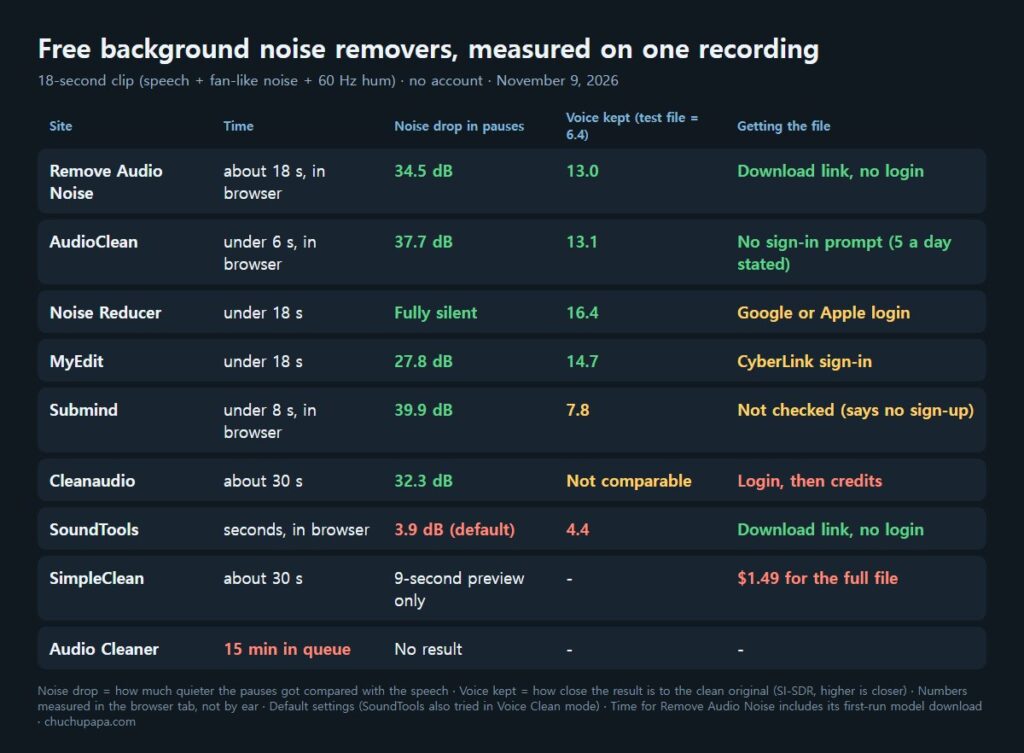
Most of the free sites I tried could remove background noise from audio in under a minute, though one never finished. The real differences were in how much noise went, how much of the voice survived, and what happened when I tried to save the result. So on November 9, 2026, I ran the same noisy 18-second recording through 9 free sites and measured each result instead of judging by ear.
Seven sites gave me a cleaned version I could measure. Remove Audio Noise, AudioClean and SoundTools got me to a finished file with no sign-in prompt, although SoundTools barely reduced the noise (I did not test Submind’s save button). Noise Reducer and MyEdit kept the voice closest to the original, but both asked me to log in before downloading. Where I pressed a download button, a save blocker was running, so no file reached my computer. The download notes below describe what each site showed when I pressed its download button, or why I didn’t.
How I tested sites that remove background noise from audio
To compare them fairly, I made the test clip myself. Windows text-to-speech (the Microsoft Zira voice) read three short sentences, and I mixed in a steady fan-like hiss and an electrical hum at 60 Hz and its overtones. The noise is loud: the speech is only about 7 dB louder than it. Because I also kept the clean version, I could compare every result with what the voice sounded like before the noise went in.
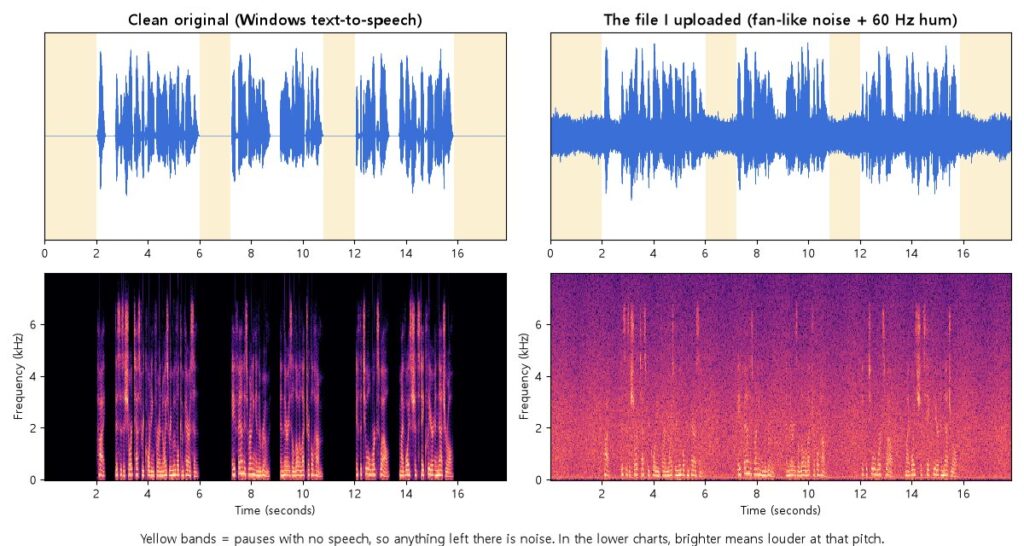
I tracked two numbers. Noise drop is how much quieter the pauses became relative to the speech, so a bigger number means a quieter background. Voice kept is SI-SDR, a standard score in decibels for how close a result is to the clean original. The noisy test file scores 6.4, so anything below that made the voice less like the original. I read each result inside the browser tab with a small script and played nothing out loud. Every site used its default settings unless I say otherwise.
Remove Audio Noise: free, in the browser, no login
Remove Audio Noise does all of its work in your browser. On the first run it downloaded a 13.5 MB AI model, and the whole job, download included, took about 18 seconds. While it worked, the network log showed the model download and analytics calls, but no request that sent my audio anywhere, which matches its “no uploads” promise. If you want to remove background noise from audio without sending it to a server, this is one of four browser-based options in this test, along with AudioClean, Submind and SoundTools.
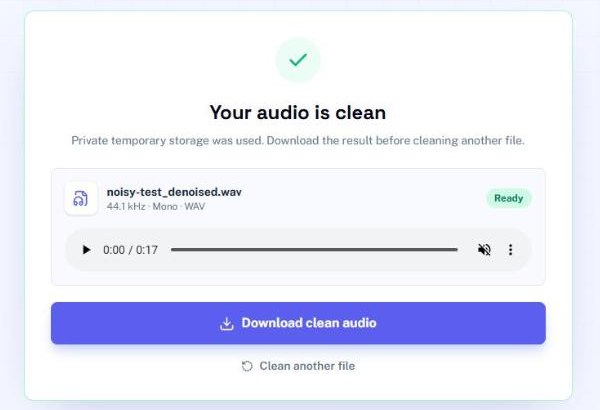
The pauses got 34.5 dB quieter relative to the speech, and the voice score rose from 6.4 to 13.0. The “Download clean audio” button is an ordinary link to the finished WAV file, so pressing it would save the file straight away with no account. Its FAQ says the WAV download has “no watermark or subscription required,” and it takes files as large as 2 GB.
AudioClean: fast, with a stated daily cap
AudioClean also processes in the browser and finished in under 6 seconds. I saw no upload request for my audio. The pauses dropped by 37.7 dB and the voice scored 13.1, almost the same voice score as Remove Audio Noise.
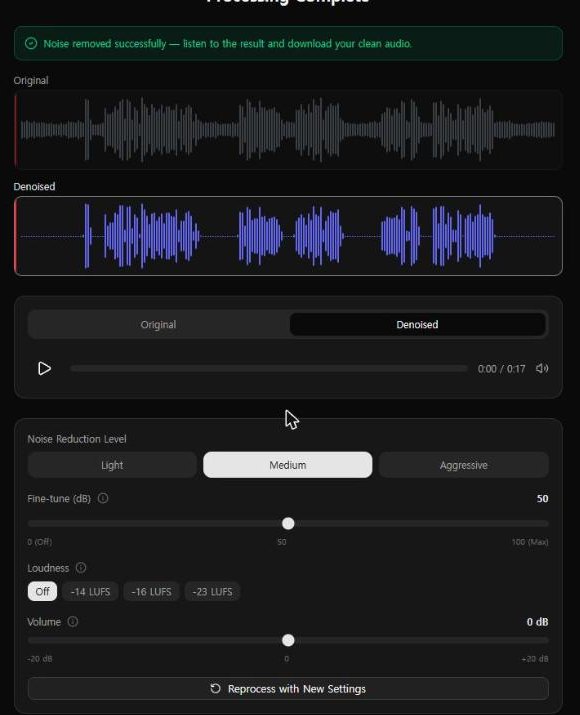
When I pressed “Download Clean File,” the page built the clean WAV with no sign-in or payment prompt. No file arrived (my save blocker was on), so the very last step stayed unconfirmed. The landing page advertises “5 Free Downloads Per Day,” and I did not test that limit. It also says plainly that echo and reverb are “Not removed.”
Noise Reducer and MyEdit: best voice quality, behind a login
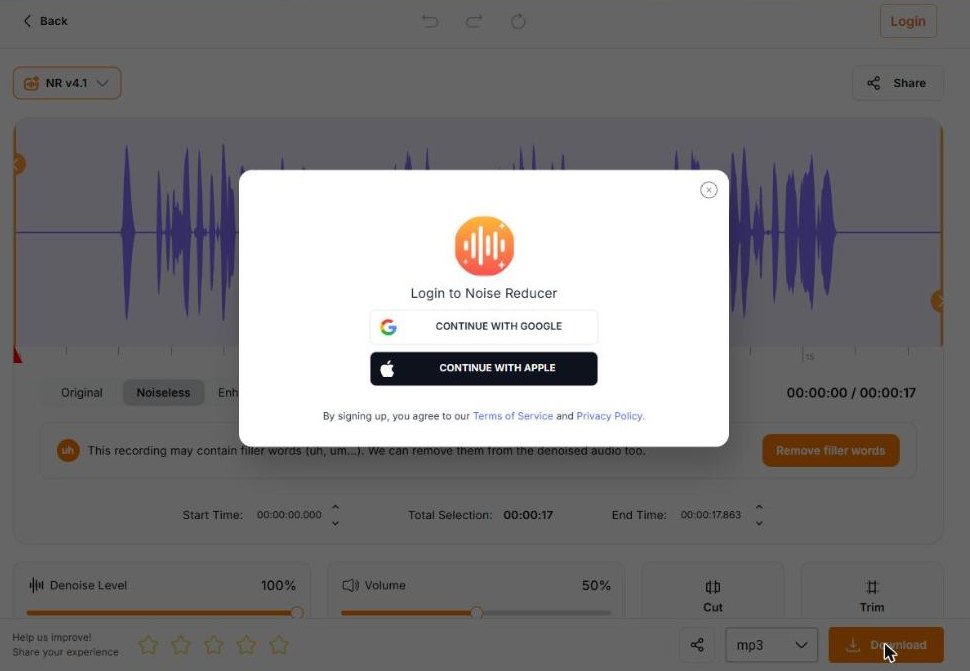
Noise Reducer turned the pauses into complete digital silence, and its voice score of 16.4 was the best in the test. Pressing Download opened a “Login to Noise Reducer” box with Google and Apple options, so the file needs an account, and the format menu was set to MP3. A banner at the top kept changing between paid offers, one of them “Unlimited Weekly” at US$4.99, shown as 50% off US$9.99.
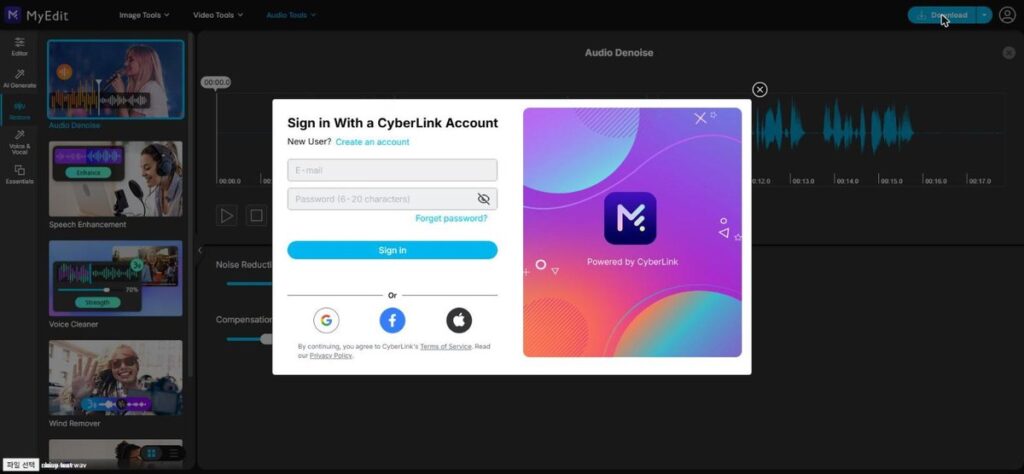
MyEdit, from CyberLink, is upfront about the deal: “Try it without signing up, then sign in to download.” On its default 60% setting the pauses dropped by 27.8 dB, less than most sites here, but the 60 Hz hum all but disappeared and the voice scored 14.7, second only to Noise Reducer. Download led to a CyberLink sign-in box. It accepts files up to 90 minutes and 900 MB.
Submind and Cleanaudio: lots of noise gone, with catches
Submind uses RNNoise, an open-source noise filter, and runs it in your browser. Apart from Noise Reducer’s full silence, it removed the most noise, 39.9 dB, but the voice score was only 7.8, barely above the noisy test file. Here, the heavy noise removal took a lot of the voice with it. Its Download Now button runs a script I could not safely block, so I did not press it. The page says no sign-up is needed.
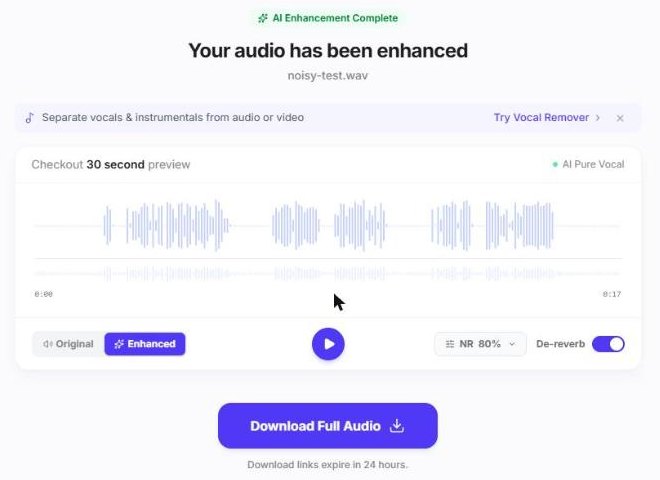
Cleanaudio uploads your file and returns a free preview of up to 30 seconds, which covered my whole clip. The pauses dropped by 32.3 dB and the hum vanished completely. The voice score could not be compared: the timing matched the original, but the waveform did not, which suggests the voice is rebuilt rather than filtered. Its “Download Full Audio” button asked me to log in, and the site’s code then checks a credit balance (counted in minutes) before the download.
SoundTools, SimpleClean and Audio Cleaner: weak, paid or stuck
SoundTools is free and gives a download link with no login, but on my clip it did little. On the default Auto mode the pauses dropped by only 3.9 dB, and the voice score fell to 4.4, below the noisy file. Switching to Voice Clean, both times at the default 65% strength, did not help: the noise barely moved and the voice got quieter. It may suit milder noise, but it did not handle this one.
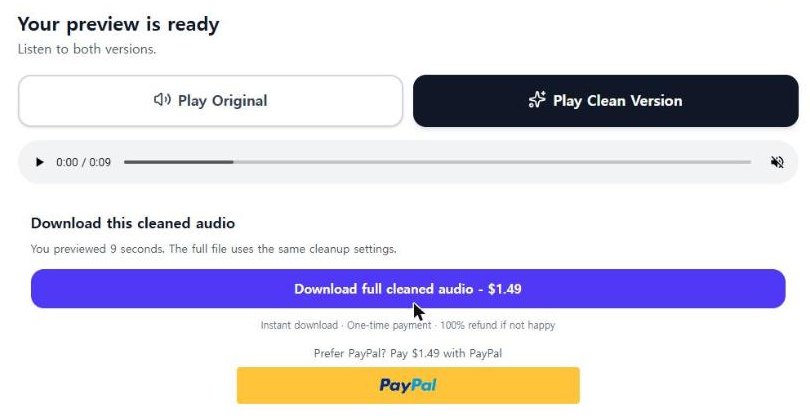
SimpleClean uploads your file and needs no sign-up for a preview, but the preview stopped at 9 seconds. The full cleaned file costs $1.49, paid once, with a refund offered if you are not happy. The page would play the preview but would not let my script read it, so I have no numbers for it.
Audio Cleaner allows guests up to 10 minutes of audio, accepted my file and started a queue. Within about 14 minutes the screen counted down from 99th in line to “almost done” at 99%, but the status replies the page kept fetching still said “waiting”: position 1417 at the start and 1349 at the end. I stopped after 15 minutes with no result. The queue screen suggests logging in for faster processing. Audio Cleaner picked its Korean-language page from my browser settings, and picking English in its language menu did not change that, so I ran the test there.
Which free tool should you use to remove background noise from audio?
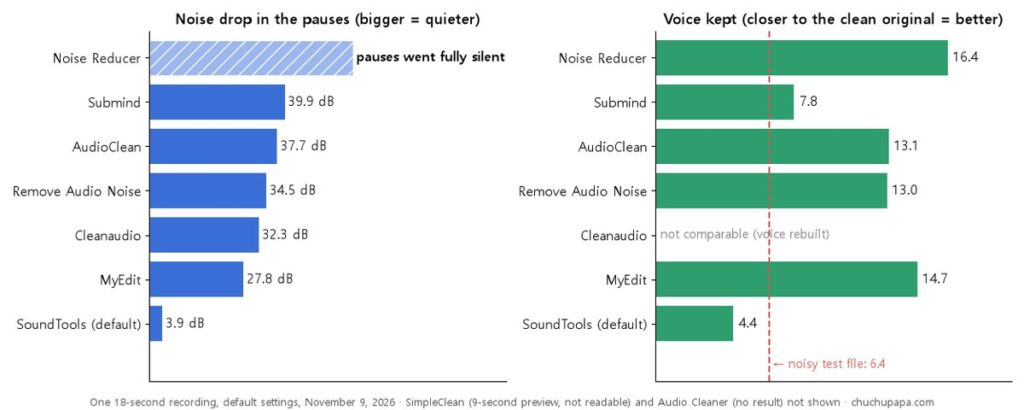
- To remove background noise from audio and get a free file with no account, start with Remove Audio Noise or AudioClean. Their voice scores were almost the same, and both keep your audio on your device.
- If voice quality matters more than skipping a login, Noise Reducer and MyEdit kept the voice best on my clip.
- Check the voice, not just the silence. Submind removed a lot of noise but scored low for voice, so listen to a sentence before you use the result.
- Save your result right away. Cleanaudio says its download links expire in 24 hours and advertises automatic deletion after 24 hours.
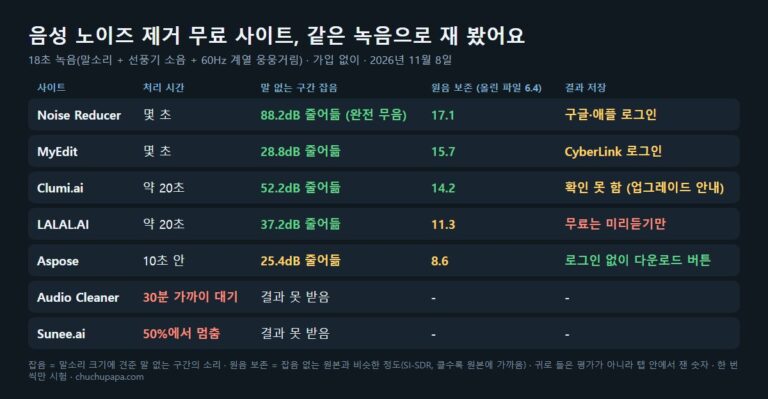
Whichever site you use to remove background noise from audio, listen to the whole result once before you publish it. These numbers come from one synthetic voice and one mix of fan hiss and hum, so a real voice, a different microphone or wind noise could rank these sites differently. For a Korean voice and a partly different list of sites, see my Korean-language noise removal test.