
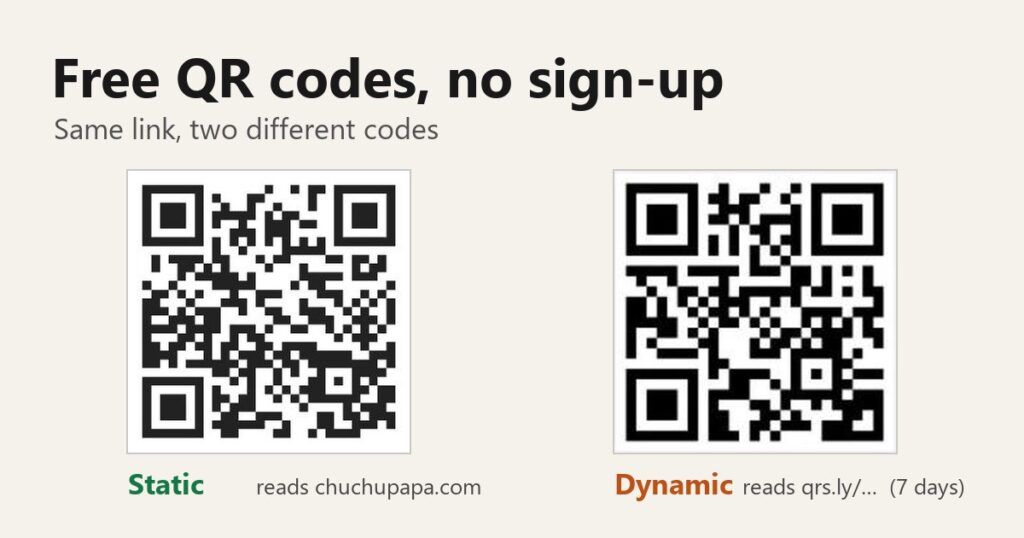
Search for a free QR code generator no sign up and the top results mostly make the same promises: free, no account, never expires. I ran six of them through an automated browser with the same link and then read each code back with a decoder to see what was really stored inside. Four of them default to a static code. The other two start you in dynamic mode. QRStuff’s default code pointed to a short qrs.ly link that, by its own notice, works for 7 days, and QR Code Generator asked for a sign-up before it would release the file.
For a code that will sit on a menu, a flyer or a business card, QR Code Banana and Hovercode each produced a PNG with no account, and both files decoded to my own address. QRCode Monkey and QR Planet also default to static, though I couldn’t capture their files this time. QRStuff and QR Code Generator work too, but only after you change one setting.
How I tested
Every site got the same address, https://chuchupapa.com/, on November 20, 2026, in desktop Chrome. The typing and clicking was done by browser automation, not by hand, and I never created an account or logged in.
I also didn’t save any files. When a site started a download, I caught the file inside the tab, drew it on the screen and ran OpenCV’s QR detector on a screenshot of it. That shows the exact text the code carries. QRCode Monkey and QR Planet send their files straight from the server, which I couldn’t catch that way, so for those two I decoded the code shown on the page instead of the file. Canva shows up in the same results and Adobe Express in the “doesn’t expire” ones, but I left both out of this round.
Static or dynamic decides whether a free code can die
A static code stores your link in the pattern itself. Nobody sits in the middle, so it keeps working even if the site that made it shuts down. The trade-off: once it’s printed the link is locked in, and you get no scan counts.
A dynamic code stores a short link that belongs to the generator. A scan goes to their server first and gets forwarded to you. That is what makes editing and tracking possible, and it is also why such a code can go dead once a trial or free period runs out. So the first thing to check on any “free” generator is which kind it gives you by default.
QRStuff starts you on a 7-day code
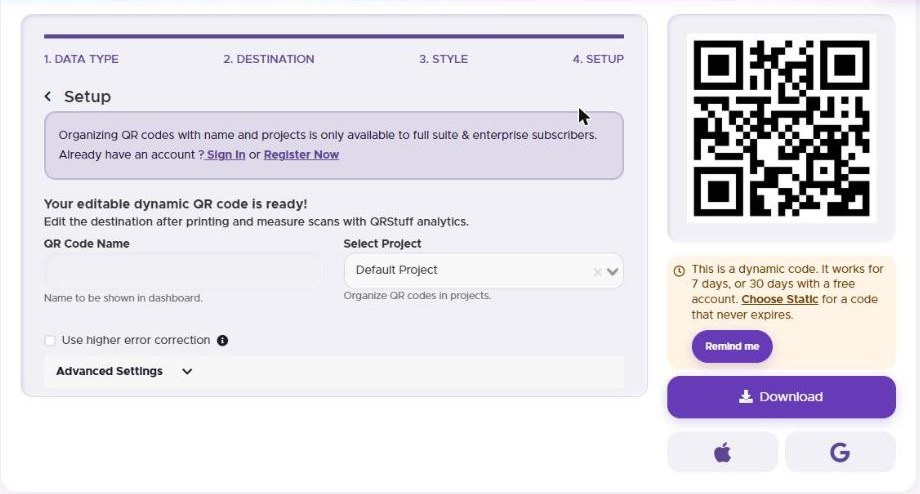
QRStuff‘s page title says “No Sign-Up, No Expiry,” and for static codes the no-sign-up part held up. But the four-step builder opens under the heading “Editable Dynamic QR Codes,” and when I picked URL, entered my link and clicked through to the end without touching the static/dynamic choice, the result was a dynamic code. An orange note under the code read: “It works for 7 days, or 30 days with a free account.” Decoded, that code contained https://qrs.ly/yvhjg3c, not my address.
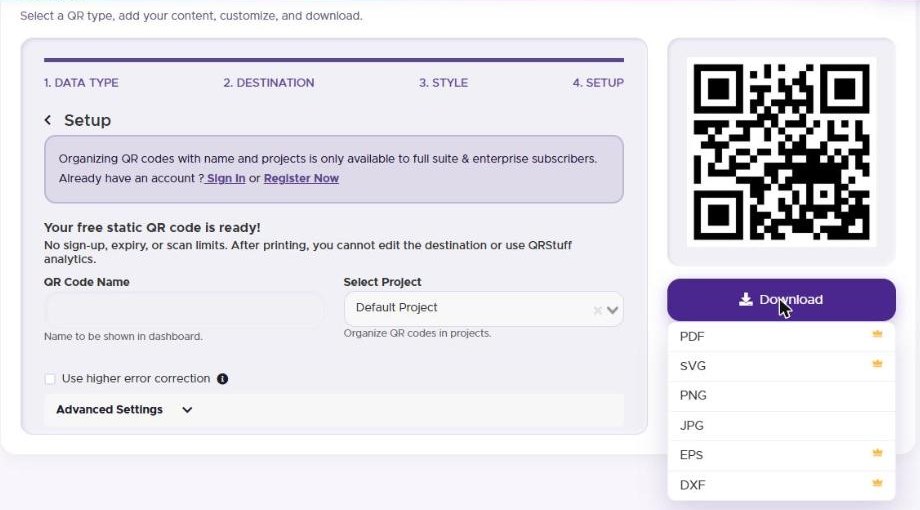
The fix is one click on “Choose Static” in that note. The screen changed to “Your free static QR code is ready! No sign-up, expiry, or scan limits.” In the download menu, PNG and JPG had no mark, while PDF, SVG, EPS and DXF carried a crown icon. I didn’t click the crowned ones, so I can’t say whether they need an account or a paid plan. The PNG arrived with no sign-up prompt at 405×405 pixels and decoded to https://chuchupapa.com/.
QR Code Generator holds the file back until scan tracking is off
QR Code Generator, the one with the QRCG logo and “by Bitly” next to it, has “Scan tracking” switched on by default. Once my link was in, a “Dynamic QR Code” label sat above the preview. Clicking Download JPG in that state opened a box titled “Sign up to download your QR Code,” and no file was produced.
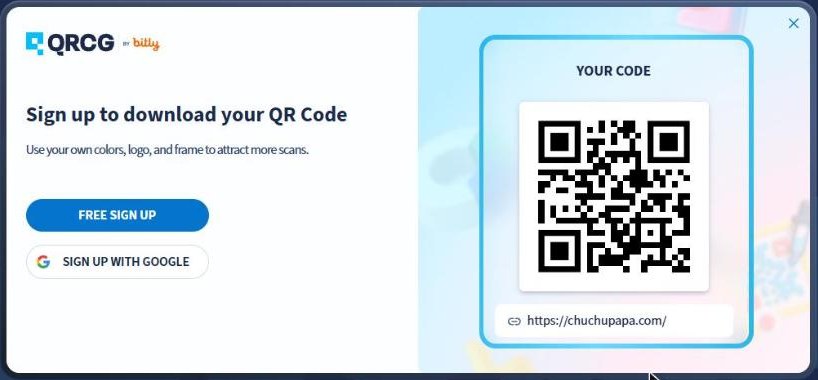
With the switch off, the label disappeared. Download JPG still opened a sign-up box, this time under a line saying the code was being generated, but when I checked about 20 seconds later the file was there: a 300×300 JPG that decoded to my address. At 300 pixels it was the smallest file of the round.
The on-screen preview is no help here: it decoded to my address even while the “Dynamic” label was showing. I also can’t say whether a normal browser would save the file on its own behind that box, because my setup intercepts downloads. The site’s FAQ says static codes are free and never expire, and that signing up starts a 14-day trial of the full feature set.
QR Code Banana had nothing to change
QR Code Banana updates the preview as you type and has nothing to switch. Its page says the free codes are static and that dynamic codes are a paid, opt-in feature. The download button defaults to SVG, and the arrow next to it offers PNG and JPG. The PNG came with no prompt, 600×600 pixels, and decoded to https://chuchupapa.com/. The page also says everything is processed in your browser, which I didn’t verify.
Hovercode gives a static file, after one upsell screen
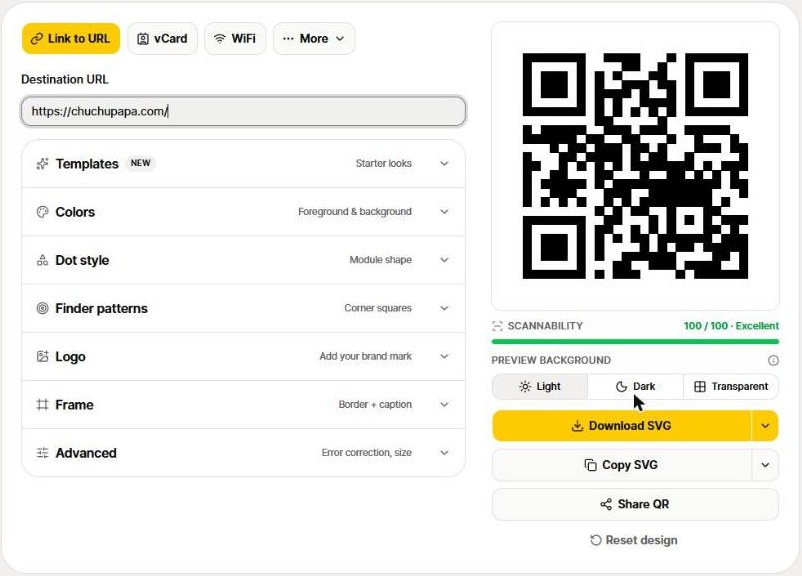
Hovercode calls itself a dynamic QR code generator, yet its “Editable & trackable” switch was off by default, so the code I made was static. Clicking “Download QR code” opened a box that pushes the other way: a large blue “Make it editable (free)” button, with “Download static QR code” as the plain one underneath. I took the plain one. The box also says three dynamic codes are free and never expire. I didn’t try that route. One more screen offered PNG or SVG. No account was needed, and the PNG was the largest file I captured in this round, 1100×1100. It held my link and nothing else.
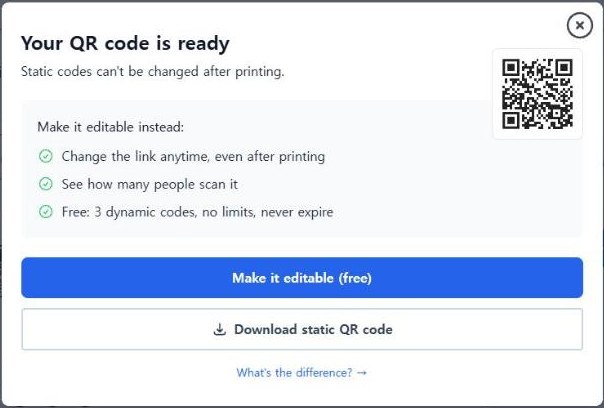
A small quirk: the preview inside the editor decoded to placeholder text starting “Hovercode preview,” not to my link. The real code only showed up in the download box.
QRCode Monkey and QR Planet are static by default, but I have no file from them
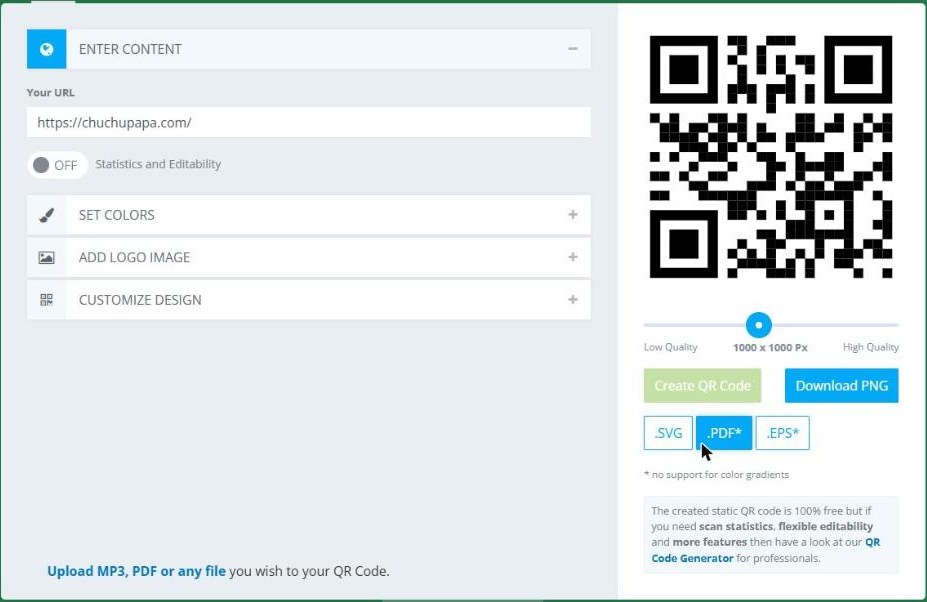
On QRCode Monkey, the “Statistics and Editability” switch is off by default, which means static. One trap: the URL box comes pre-filled, and my first attempt typed the link after the existing text and got “Enter a valid URL.” Clear the box first. The preview decoded to my address, and the page states that its codes “do not expire” and are free for commercial use. I didn’t press Download today. When I tested the site on November 2 for the Korean version of this post, the PNG downloaded with no sign-up box, at 1160×1160.
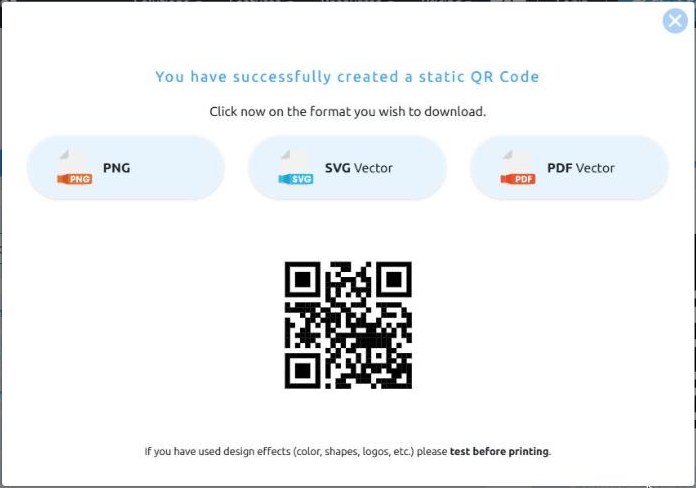
QR Planet was similar. After I replaced the sample link, “Download Free QR Code” opened a box that said “You have successfully created a static QR Code” and offered PNG, SVG and PDF. No sign-up appeared, and the code in that box decoded to my address. I couldn’t read the file itself, so I have no pixel size for it.
Free QR code generator no sign up: which one I’d use
| Site | Default code | No-account file | Decoded to |
|---|---|---|---|
| QR Code Banana | Static | 600×600 PNG | My address |
| Hovercode | Static | 1100×1100 PNG | My address |
| QRCode Monkey | Static | 1160×1160 PNG (Nov 2) | My address |
| QR Planet | Static | Offered, not read | My address (on-page code) |
| QRStuff | Dynamic, 7 days | 405×405 PNG after “Choose Static” | qrs.ly by default, my address when static |
| QR Code Generator | Dynamic (by its label) | 300×300 JPG after tracking is off | My address |
If all you need is a link on paper, I’d go with QR Code Banana, because there is nothing to get wrong. Hovercode gave me the biggest PNG of this round, as long as you take the second button. QRCode Monkey, QR Code Banana and QR Planet all have color, logo and pattern menus, so between those three the file format you need can decide.
QRStuff and QR Code Generator are fine once you know where the switch is. If you want scan counts or an editable link, their dynamic codes are the point; just check how long the free version lasts before you print 500 flyers.
Check a code you already printed
Point your phone camera at it and, if it shows the link before opening, read it before you tap. If it’s your own address, the code is static and doesn’t depend on anyone’s server. If you see a short link on a domain you don’t recognize, it runs through someone’s server.
This post is the English take on my Korean test of free QR code makers, redone on the English versions of the sites. And if the code needs a logo in the middle, I have a separate test of free AI logo generators.