
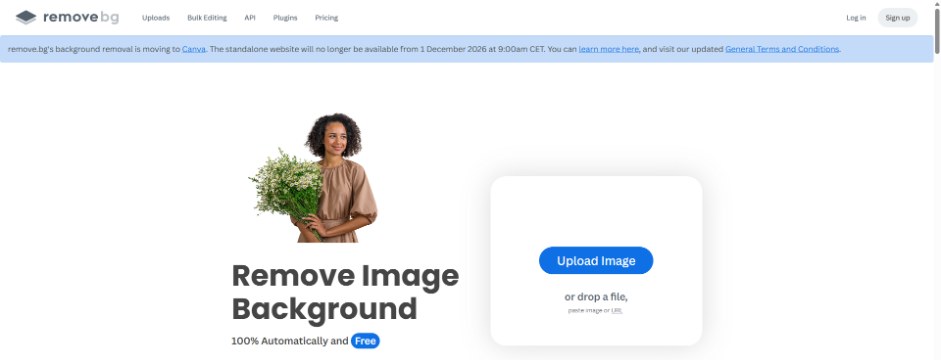
remove.bg, the one-click background remover that millions of people used for product shots, profile photos and memes, is shutting down. A banner now sits across the top of the site: its background removal is moving to Canva, and the standalone site goes offline on December 1, 2026. If you still have credits, a subscription or a workflow built around it, you have about five weeks to sort things out.
On October 23, 2026, we read the remove.bg shutting down notice and the official FAQ line by line, then ran the same two photos through remove.bg and a free alternative on a PC. Below is exactly what ends and when, what happens to your credits, whether Canva is really free, and how the results and free download sizes compared.
When is remove.bg shutting down?
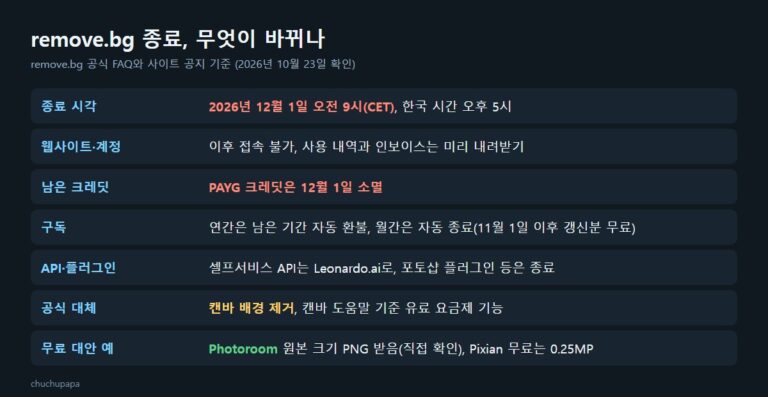
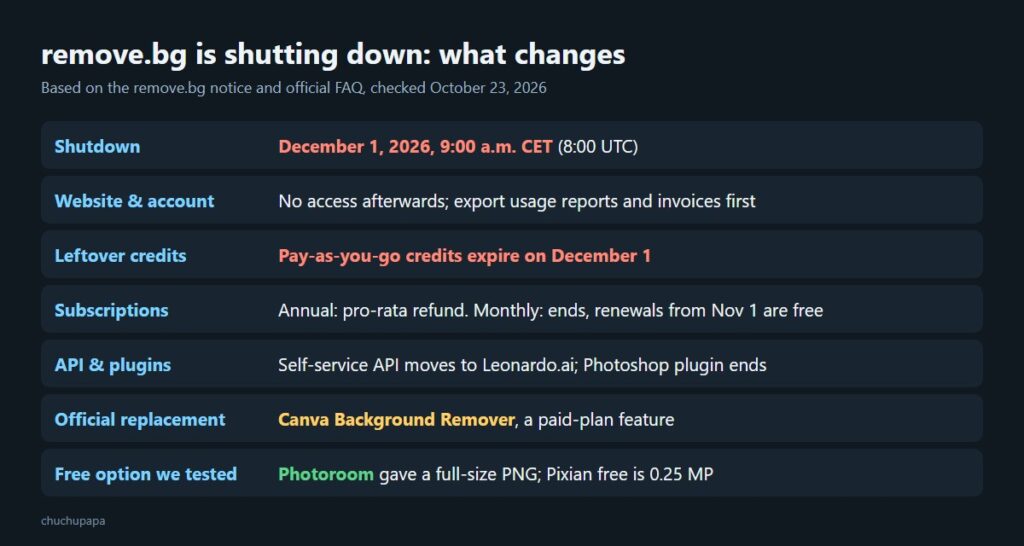
The cutoff is December 1, 2026, at 9:00 a.m. CET, which is 8:00 UTC, 3:00 a.m. on the US East Coast and midnight on the West Coast. The remove.bg homepage carries the notice in a blue bar above everything else.
The remove.bg FAQ explains why. Canva bought remove.bg back in 2021, and Canva already has background removal built in, so rather than run two products it is folding remove.bg into Canva. Background removal for regular users goes to Canva, while the developer API moves to Leonardo.ai, another Canva company. Companies on enterprise API contracts keep their service as before.
The remove.bg plugin for Photoshop and its other add-ons stop working that day too. For Photoshop users, the FAQ points to Affinity, which is free, but warns that Affinity’s cutout feature is powered by Canva AI, so you still need Canva Pro to use it.
What happens to your credits and subscription
This is the part most people need to act on. According to the FAQ:
- Annual subscriptions keep working until December 1 and then end automatically. Unused time is refunded pro rata to your original payment method, with nothing to request.
- Monthly subscriptions also end automatically on December 1. If your plan renews on November 1 or later, that last renewal costs nothing, and you can cancel earlier from your remove.bg dashboard if you prefer.
- Pay-as-you-go credits you have not spent will be gone on December 1. The FAQ mentions no refund for them, so use them before the deadline.
- Your account becomes inaccessible after the cutoff. Export your credit usage report and invoices from the Account page before then, because you will not be able to download them afterwards.
Is Canva a free replacement for remove.bg?
Canva is the official replacement, and the FAQ says it runs on the same cutout engine as remove.bg, including bulk removal in the web and desktop apps. Whether it is free is another matter. Canva’s feature page is titled “Remove image background for free,” but the Canva Help Center article says plainly that “Background remover is included with paid plans.” If remove.bg’s free previews covered your occasional cutouts, do not assume Canva will be free in the same way. We did not test how many tries a free Canva account gets.
remove.bg vs a free alternative: our test
With remove.bg shutting down, we wanted a free option that needs no account, so we ran Photoroom’s free background remover side by side with remove.bg. For a fair test we used the sample photos remove.bg itself offers under “No image? Try one of these”: a tabby cat (1440×1440) and an old rotary phone (2160×1440). Fur, whiskers and a coiled cord are exactly the details that trip up background removers.
remove.bg: clean results, but the free file is a preview
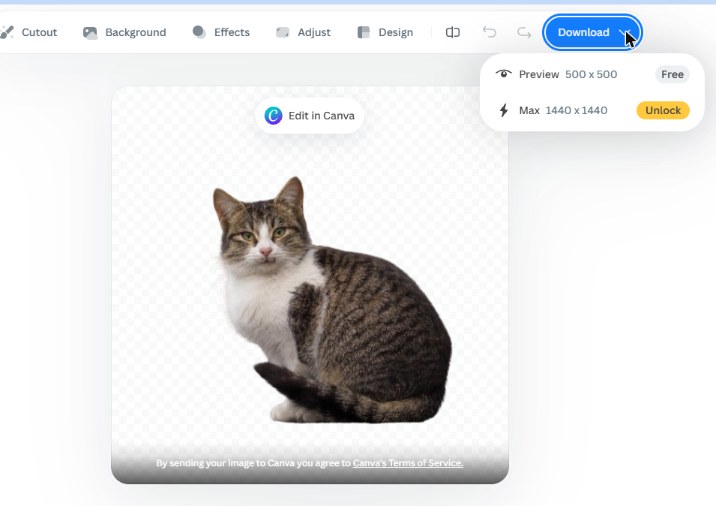
remove.bg cut the cat out in a few seconds, whiskers and tail tip included. The catch is in the Download menu. “Preview 500 x 500” is marked Free, while “Max 1440 x 1440” shows an Unlock badge, which means credits. The phone photo was the same story: a free 612×408 preview against a 2160×1440 original.
Photoroom: full-size PNG with no sign-up
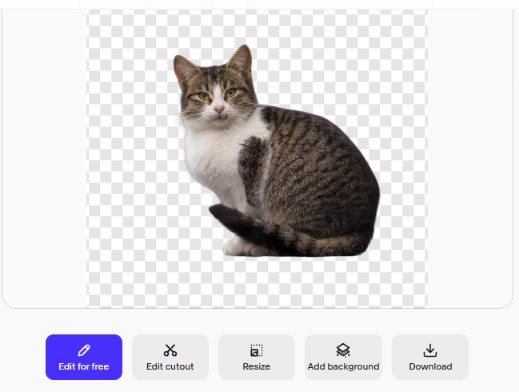
On Photoroom we added the same cat photo and got a transparent cutout right away, with buttons for Edit for free, Edit cutout, Resize, Add background and Download. Clicking Download saved the file immediately without asking any questions. It was a 1440×1440 transparent PNG, the same size as the original, with no watermark. A pop-up inviting us to score a product page appeared once afterwards.
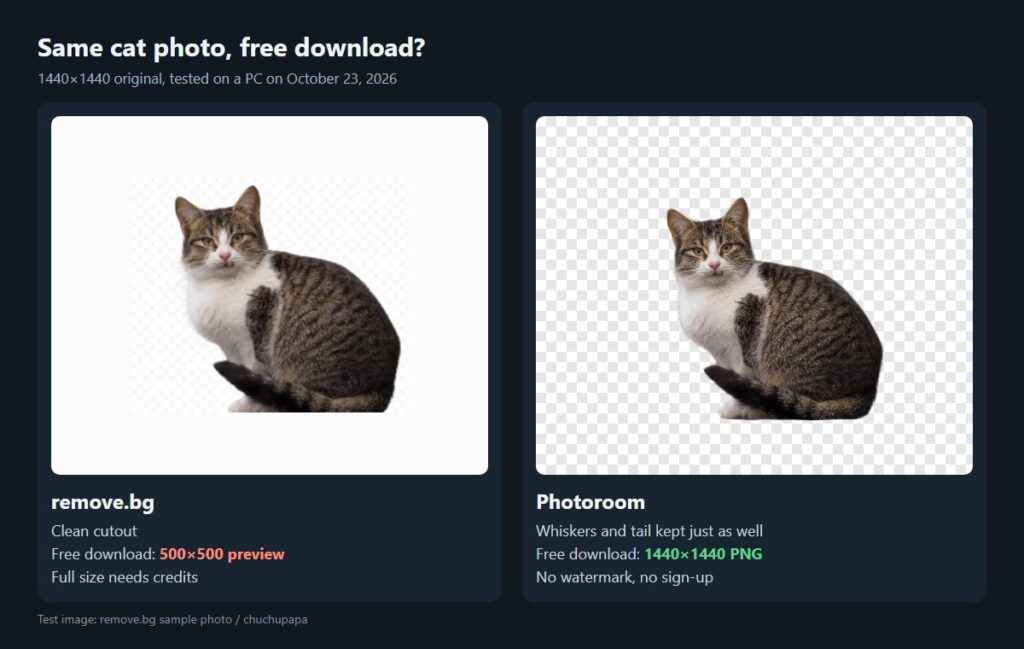
Side by side, the cutout quality was nearly identical. The real difference was the size you can download for free.
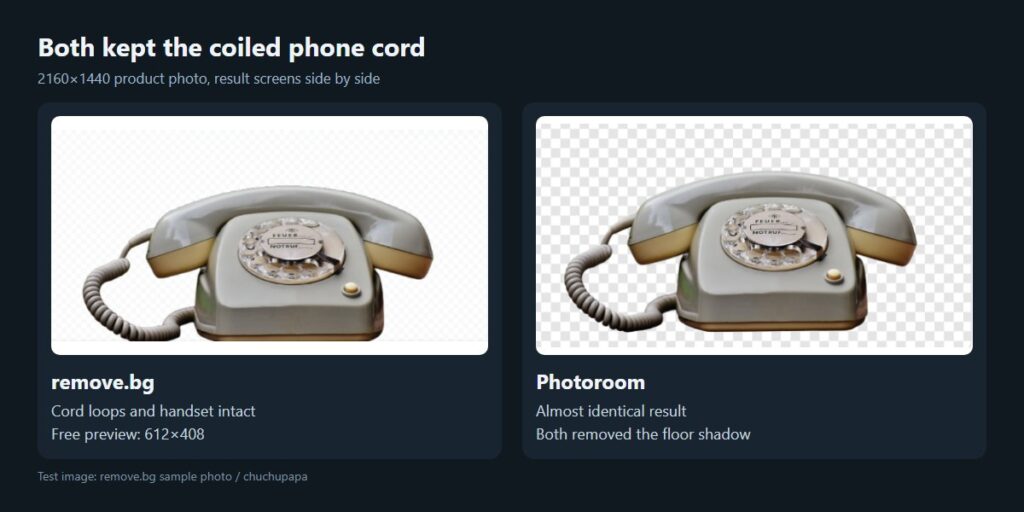
The phone told the same story. Both tools kept every loop of the coiled cord and the handset, and both removed the shadow on the ground. One caveat: Photoroom’s own page says to upgrade when you need sharper exports and more AI tools, so the free tier may behave differently depending on the image or how much you use it.
Other free remove.bg alternatives
There are a few more routes. We did not test these ourselves, so the notes below come from each company’s own pages.
- Pixian.AI works without an account. Its homepage lists the free tier as 0.25 megapixels with limited use and the paid tier as 25 megapixels with unlimited use. A quarter of a megapixel is about 500×500, roughly the same as remove.bg’s free preview.
- Windows 11 Paint can remove backgrounds with one click. Microsoft announced the feature on the Windows Insider Blog in 2023, and the processing happens on your own PC rather than on a server.
- PowerPoint, Word and other Office apps have a Remove Background tool for pictures, where you can mark areas to keep or remove by hand. Microsoft’s support article walks through the steps.
What to do before remove.bg shuts down
Once December 1 arrives, both the site and your account disappear. A short checklist:
- Spend any leftover pay-as-you-go credits on the images you need at full size.
- Download your credit usage report and invoices from the Account page.
- If you rely on the Photoshop plugin or the API, try the replacement now rather than on the last day.
- Pick your next tool: a free alternative for occasional cutouts, or a paid Canva plan if you design in Canva anyway.
The bottom line
remove.bg is shutting down on December 1, 2026, at 9:00 a.m. CET, and leftover pay-as-you-go credits vanish the same day. Its official successor, Canva’s background remover, is a paid-plan feature according to Canva’s help center. For occasional cutouts, a free tool like Photoroom, which gave us a full-size PNG in our test, is worth trying first. If you like testing free AI tools, see what we found when we tried Google Playground and Google Flow Music.