
Google Flow Music, a Google Labs experiment, turns a single sentence into a full song, lyrics and vocals included. You type what you have in mind into a chat box, an AI “Producer” writes the lyrics and picks the sound, and a minute or so later you have finished tracks you can play, tweak by chatting, and download.
To see how it really behaves, we gave it one simple request on the free plan and followed the whole process, screen by screen. Below is what happened, what the free tier covers, what the paid plans cost, and what Google says about who owns the songs.
What Google Flow Music actually does
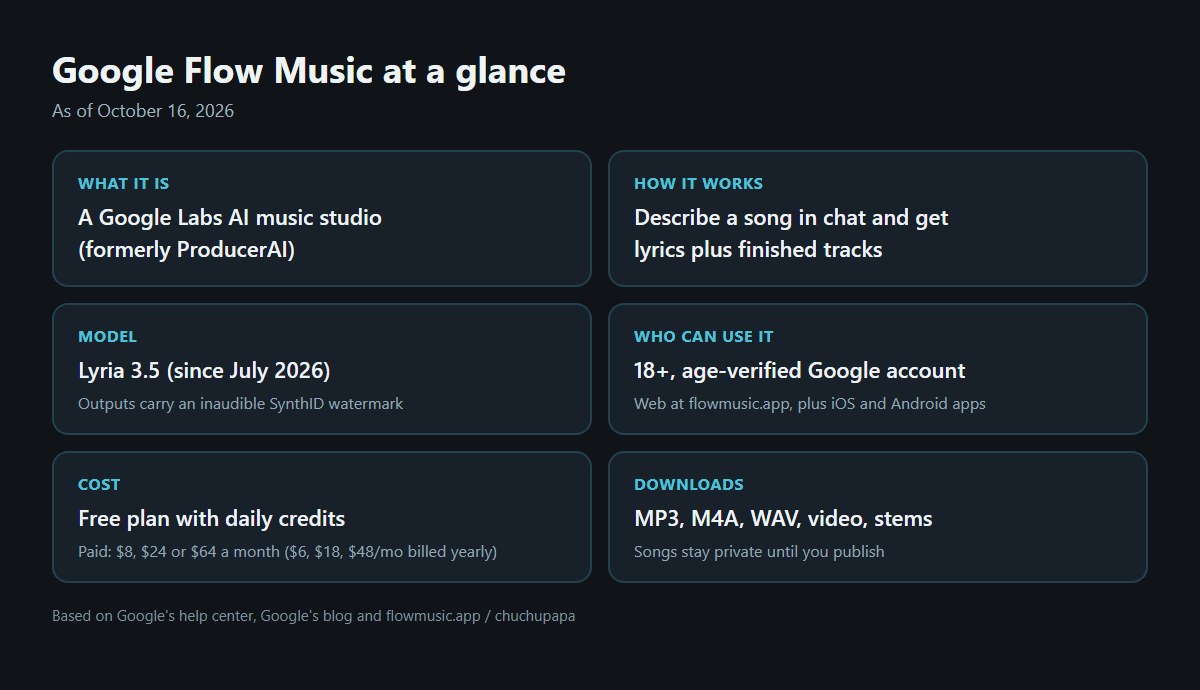
Its roots are in ProducerAI, a music tool Google brought into Labs in February 2026; today it carries the Google Flow Music name. In late July Google switched it over to Lyria 3.5, its newest music model, with better vocals and more control over tempo and song length.
Making songs is the main event, but there is more in the box: music videos, remixing your own audio, splitting a track into stems, and Spaces, where you describe an instrument or effect in everyday language and the app builds it for you. You can use it on the web at flowmusic.app, and Google also has official iPhone and Android apps.
Requirements: age, account and region
According to the Google Flow help center, you need a Google account that has passed age verification, users have to be at least 18, and you have to be in one of the supported regions. Signing up costs nothing. If you want to make songs with your kids, as we did below, do it from a parent’s account and enjoy the results together.
Google Flow Music how-to: making our first song
1. Sign in at flowmusic.app
Log in using your Google account and you land on a page with a single “Let’s create…” box. Under it are shortcuts such as Make songs for fun, Create music for videos, Make tracks for my vocal, Remix unreleased tracks and Make FX / instruments. You can ignore them and just type.
2. Describe the song
Our request was: “Make a short, cheerful kids’ song about tidying up toys before bedtime. English lyrics, bright ukulele and handclaps.” Then we hit the arrow button in the lower-right corner of the prompt box.
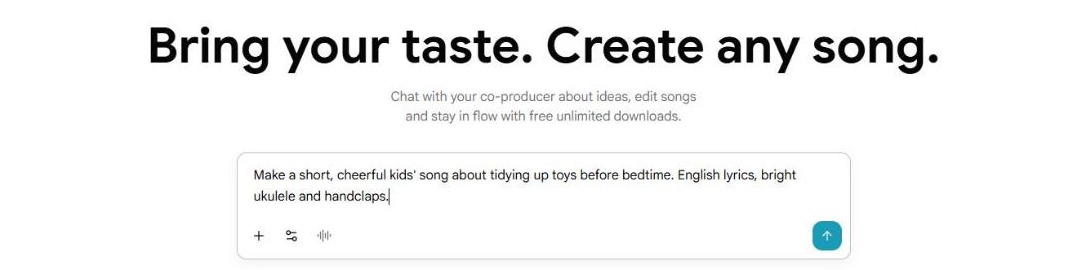
3. Watch the Producer plan the track
The Google Flow Music page turned into a chat. The Producer first filled in a Sound panel with children’s music, strummed ukulele, handclaps, acoustic guitar, upright bass, a friendly male lead vocal and 108 BPM, then a Lyrics panel split into intro, verses, chorus, bridge and outro. It even named the song “Tuck Them In,” built around the idea of putting toys to bed. Below that, two tracks appeared with a progress percentage while they rendered.
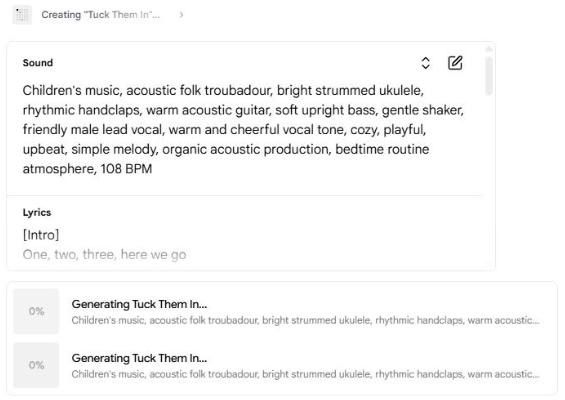
4. Get two versions and keep going
About a minute later both versions of “Tuck Them In” were ready, each with its own cover art. The Producer summed them up in one line and offered next steps as buttons: Make the ending grander, Add a bouncy bassline, and Tweak the lyrics.
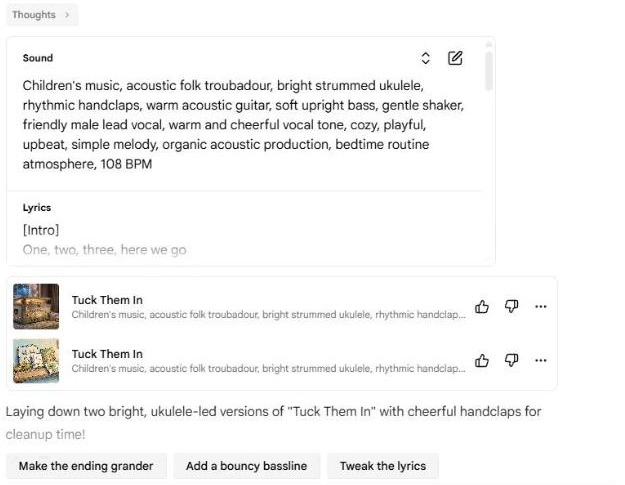
One thing to know: we asked for a short song and still got tracks of 2:57 and 2:13. “Short” is open to interpretation, so if length matters, give an actual number of seconds or say “under one minute.” According to Google, Lyria 3.5 makes tempo and duration easier to control, so it is worth stating both.
How to prompt Google Flow Music and fix a song
Good Google Flow Music prompts read like a note to a real producer: the mood, the instruments, who is singing, the language of the lyrics and what the song is about. After that, edit by talking. Google’s own examples include shortening the intro to four bars, slipping a bridge in ahead of the last chorus, punching up the kick drum or putting more reverb on the vocal.
If you would rather edit by hand, open a song and use Compose at the top right to change the lyrics, the sound description or the details, then generate again. The Remix option in each song’s menu can extend a track, turn it into a cover, or replace just one section you select.
Downloading and sharing Google Flow Music songs
Each Google Flow Music song has a three-dot menu with Remix, Details, Download, Share, Split stems and Delete, among others. Download offers M4A, MP3 and WAV audio, a video file, and separate stems for the vocal and instruments. Tick several songs and Google Flow Music bundles them into one .zip file.
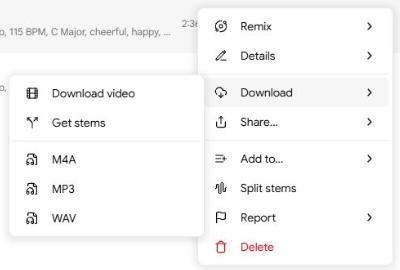
Nothing in Google Flow Music goes public on its own. A new song stays in your library until you choose Publish, and you can set it so only people with the link can listen, or keep it to yourself.
Is Google Flow Music free?
Mostly, yes, at least while you are getting started. Google says every core feature is available at no charge. The free plan refills your credits every day and lets you run two generations at once, and on our test day the free credits covered both of the requests we made. When you want to make a lot more, there are three paid plans. These are the US dollar prices shown on the pricing page on October 16, 2026:
| Plan | Price | Credits |
|---|---|---|
| Free | $0 | Daily top-ups |
| Starter | $8/mo ($6 yearly) | 3,000/mo (~600 songs) |
| Plus | $24/mo ($18 yearly) | 10,000/mo (~2,000 songs) |
| Member | $64/mo ($48 yearly) | 30,000/mo (~6,000 songs) |
The yearly figures are the monthly cost when you pay for a full year. If you already pay for a Google AI plan, check before buying anything: per Google’s plan guide, AI Plus subscribers get Starter benefits, AI Pro gets Plus, and AI Ultra gets Member. You have to tick the Google One benefits box when you first sign in for that to apply.
Free Google Flow Music users can also earn extra credits on the Turntable page. You play two short samples, 10 seconds or more each, and vote for the one that fits the prompt better.
Commercial use and who owns your songs
Google has said plainly, in its announcement with Believe, that it does not take ownership of the original material people create with Flow Music. Google’s February post about ProducerAI also said that every output carries SynthID, an inaudible watermark that marks it as AI-generated.
Giving up ownership claims does not amount to a blanket license, though. Before you put a track in a monetized YouTube video, an ad or a streaming release, check the terms that apply to your plan. And if you upload someone else’s song to remix it, you still need the rights to that original recording.
The bottom line
Google Flow Music gets you from “I want a song about X” to a finished track with vocals in about a minute, and the free plan is enough to find out whether you like it. Be specific about length and style, edit by chatting, and keep the music private until you are happy with it.
If you like making music in the browser, try building a melody note by note with our Chrome Music Lab Song Maker guide, conduct singing blobs in the Blob Opera guide, or see how Google lets you make games from a sentence in our Google Playground guide.